Before you compare prices
All 25 apps had live US App Store listings when checked; 22 also had Google Play listings. Each review links to its store pages and the official feature or pricing pages used below.
Feature descriptions mainly reflect the US iPhone version. An Android listing does not guarantee the same features, prices or release timing. Check your phone and region before subscribing.
There are no hands-on scores for speed, accuracy, weight loss, battery use, privacy or accessibility here. App makers’ claims about those results are not independent tests.
Prices below are USD from the public US App Store, checked September 9, 2026. Some are old, promotional or referral offers that may not apply to your account. A USD 29.99 listing without a billing period does not mean USD 29.99/year. Check the full charge, billing period and renewal terms on your purchase screen.
↑ Back to contentsComparison at a glance
Photo logging estimates a meal from its picture. A label scanner reads printed nutrition facts; a barcode scanner looks up a product. These are different tools, and a meal estimate still needs checking.
“Android unclear” means availability is unknown, not that there is no Android app. Watch and desktop support varies by app.
| # | App | Phones | Main reason to consider it | Photo logging and free access |
|---|---|---|---|---|
| 1 | 123 Cal | iPhone; Android unclear | Protein budget and Watch | Listing: 3-day trial; Pro required for scanning afterward |
| 2 | SnapCalorie | iOS, Android | Recurring free AI logs | Up to 3 free AI logs/day |
| 3 | NutriScan | iOS, Android | Plans and Monika coaching | 5 free photo scans/week claimed; quota wording differs |
| 4 | Cronometer | iOS, Android | Detailed nutrient records | Free database/barcode; Gold photo/voice |
| 5 | Lose It! | iOS, Android | Conventional weight-loss diary | Basic free; photo/voice/barcode Premium |
| 6 | Kompanion | iOS, Android | Fasting plus meal tracking | AI photos; exact free limits need confirmation |
| 7 | YouCal | iPhone; Android unclear | Fasting with camera/text/barcode | Subscription; 3-day trial |
| 8 | MyFitnessPal | iOS, Android | Saved foods and integrations | Basic use; meal scan/voice/barcode Premium |
| 9 | MacroFactor | iOS, Android | Adaptive macro targets | Paid; photo AI; 7-day trial |
| 10 | Foodvisor | iOS, Android | Habits and nutrition program | Photo AI; free version, AI quota unclear |
| 11 | BitePal | iOS, Android | Playful logging routine | Photo AI; recurring free access unclear |
| 12 | Nutritionix Track | iOS, Android | Natural-language and restaurant logging | Core diary; no meal-photo AI verified |
| 13 | MyNetDiary | iOS, Android | Extensive free manual tracking | Free barcode/macros; paid photo tier disputed |
| 14 | Lifesum | iOS, Android | Food variety and meal plans | Photo AI is Premium; limited free diary |
| 15 | YAZIO | iOS, Android | Calories, recipes and fasting | Free diary; photo now Pro |
| 16 | fatsecret | iOS, Android | Community and diary sharing | Free core; image recognition, exact limits unclear |
| 17 | Carb Manager | iOS, Android | Net-carb tracking | Free barcode/net carbs; photo Premium |
| 18 | MacrosFirst | iOS, Android | Portion calculations for macros | Free core; photo/voice/text AI Premium |
| 19 | Carbon | iOS, Android | Weekly coaching check-ins | Paid; no meal-photo AI verified |
| 20 | RP Diet Coach | iOS, Android | Meal structure and timing | Paid; AI label scan, not verified meal photo |
| 21 | My Macros+ | iOS, Android | Custom macros and optional coaching | Photo AI; free quota unclear |
| 22 | Healthify | iOS, Android | Gallery logging and coaching | Photo AI; free quota unclear |
| 23 | Fitia | iOS, Android | Plans and grocery lists | Free basic/barcode; photo/voice Premium |
| 24 | AteMate | iOS, Android | Reflective food journal | Photo recognition; optional calories; 7-day trial |
| 25 | Foodnoms | iPhone; Android unclear | Apple integrations and data export | Free diary/barcode; photo/text AI Plus |
The 25 alternatives
Start with the apps that match how you log, then check their paid limits before trying one.
OUR APP · NOT AN INDEPENDENT RANKING
1.  123 Cal -- iPhone users tracking protein during a cut, especially Apple Watch owners
Platforms: iPhone. Android and browser diary: unclear.
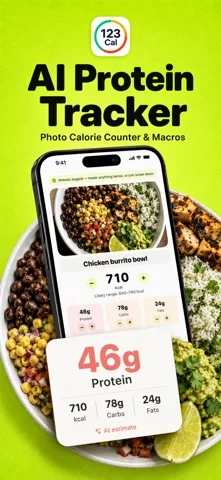
123 Cal centers the daily decision on calories and protein remaining. It supports photo logging, typed and dictated meals, editable results, and repeat meals. It also describes calorie ranges and the assumptions behind scans. Those are useful design choices if you want to understand and correct an estimate before relying on the daily total. The Apple Watch app shows remaining calories and protein, accepts dictated meals, adds water, and re-logs recent meals. This is a focused alternative for a lifter who wants a protein budget close at hand. Disclosure: 123 Cal is our product. Its place here reflects that specific use case, not an independent win in an accuracy test.
Logging: Version 1.2 includes meal photos, barcode and nutrition-label scanning, typed or dictated descriptions, editable estimates, repeat meals and Watch dictation. The watch face shows protein remaining. Listing checked September 25, 2026.
Free versus paid: The US and Ukrainian listings advertise the first 3 days free. After the trial, Pro is required to keep scanning meals. This is a trial, not ongoing free scanning. Check eligibility and regional terms.
Price check: Listed Weekly USD 3.99; Yearly USD 39.99.
Tradeoff: Android availability is unclear. The privacy description says the diary and photos stay on-device but a photo leaves the device for analysis when scanned; do not describe AI scanning as entirely offline.
Before you choose: Trial eligibility and regional renewal terms; Android availability; independent accuracy, scan latency, accessibility and battery testing. Remote analysis retention and subprocessors require a separate privacy-policy review.
Sources: US App Store; Ukrainian App Store. Version 1.2 features and access wording rechecked September 25, 2026. The US price observation above remains dated September 9; it is not a Ukrainian offer.
2.  SnapCalorie -- People who want free daily AI logs
Platforms: iPhone and Android. Browser diary: unclear.
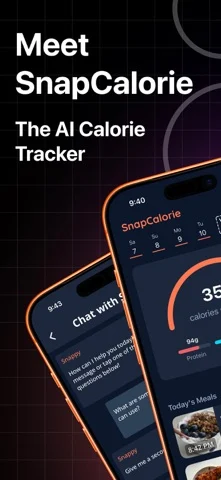
SnapCalorie has the clearest free-photo starting point in this shortlist: its FAQ states that up to three AI logs per day are free. The listing also supports voice notes, nutrition-label scanning, and nutrient detail beyond calories and macros. Its FAQ and listing describe an ex-Google research team. The useful distinction for a buyer is the workflow: photograph a restaurant meal, add what you know about ingredients, and correct the result. Supported iPhone Pro hardware adds depth-sensor capabilities, which should not be assumed on every Android phone or iPhone. Research credentials give you a reason to inspect the method, not a guarantee that an unseen restaurant sauce will be measured correctly.
Logging: Meal photo; voice note; nutrition-label photo; correction hints.
Free versus paid: Official FAQ: up to 3 AI logs per day free. Premium is optional.
Price check: Public SKUs include Premium (Monthly) USD 19.99 and Premium (Annual) USD 149.00; other differently priced Premium SKUs exist.
Tradeoff: The daily free allowance is a limit, not unlimited photo tracking. The FAQ acknowledges guessing non-visible oils, fats and sugars. Its reported error figures are vendor claims and not a comparable score against these 24 alternatives.
Before you choose: Which Premium SKU a new subscriber sees; Feature parity across phones and regions; Independent performance on your usual meals.
Sources: US App Store; Google Play; Official product/help source; Official access details.
3.  NutriScan -- People who want meal planning and conversational guidance alongside photo logs
Platforms: iPhone and Android. Browser diary: unclear.
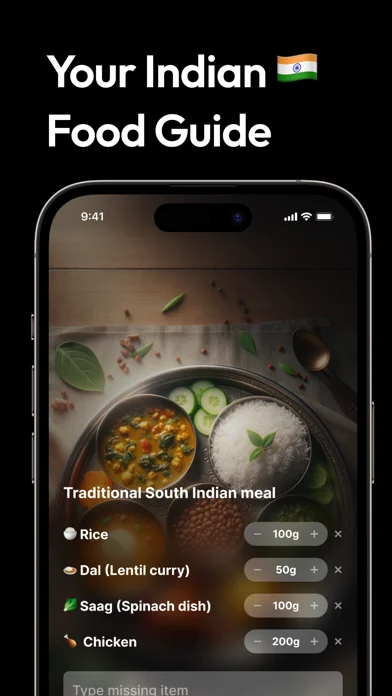
NutriScan adds a planning layer to the calorie camera. Its current listing describes a 28-day meal plan, Monika AI coaching, fasting, water, and repeat meals. The official site lets users supply cooking method and oil level and edit food or portion assumptions. That extra context is relevant to mixed dishes, although we have not measured whether NutriScan estimates them better than another app. The free allowance is useful for occasional scans. Five per week will not support photographing every meal. Monika is an AI feature, not a registered dietitian assigned to you; health-condition marketing should not be read as clinical validation.
Logging: Meal photo; voice; text; repeat meals; editable portions and oil/cooking details.
Free versus paid: Official help article says 5 photo scans/week and 4 Monika calls/week after the trial; listing advertises a 7-day trial. Homepage labels the limit more broadly as meal tracking 5/week.
Price check: Listed Premium 1 month USD 9.99; Premium 1 Year USD 49.99; 1 Year Offer USD 34.99. Offer eligibility unverified.
Tradeoff: The homepage says meal tracking 5/week while the trial article says 5 photo scans/week. Confirm whether text and voice share that quota. The trial article also calls Premium annual-only, while the US store exposes monthly and weekly SKUs. These may be legacy offers. Store annual SKUs differ from rounded prices in the vendor blog; the current checkout catalog remains unresolved.
Before you choose: Exact shared quota across logging modes; Trial eligibility and renewal offer; Clinical suitability for pregnancy, diabetes or PCOS is not established by this guide.
Sources: US App Store; Google Play; Official product/help source; Official access details.
4.  Cronometer -- People who care about vitamins, minerals and inspectable nutrition records
Platforms: iPhone, Android and browser. Mobile photo tools may not be available on the web. Browser help.
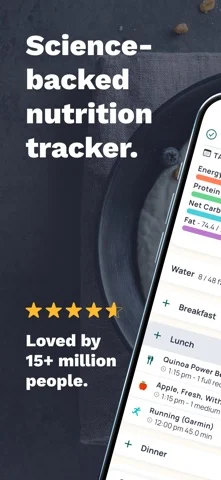
Cronometer is worth trying if you want detailed nutrient records. Its listing describes a curated food database and tracking beyond protein, carbs and fat, including vitamins and minerals. It also now offers photo and voice logging, so calling it a purely manual alternative would be stale. The practical advantage is that a photo can become food entries you inspect and adjust rather than an unexplained total. If you are switching because you want dependable daily records without paying, start with database search and the free barcode scanner. Pay for Gold if photo entry or the other premium tools earn their place in your routine.
Logging: Database search; free barcode; Gold photo and voice logging; custom foods/recipes.
Free versus paid: Free basic tracking and barcode scanning. Photo and voice are Gold features, not free tools.
Price check: Listed Gold Monthly USD 10.99; Gold Annual USD 59.99.
Tradeoff: Photo logging is explicitly paid in both the listing and official help. A verified database improves the underlying food record; it does not prove the photographed portion or hidden ingredients are correct.
Before you choose: Your regional Gold offer and trial eligibility; Accuracy and completeness of your own selected food entries.
Sources: US App Store; Google Play; Official product/help source.
5.  Lose It! -- People who want a conventional weight-loss diary and optional faster logging
Platforms: iPhone and Android. Official recipe help describes a browser diary at my.loseit.com, but the live help page blocked access when checked. Browser use was not tested. Browser help.
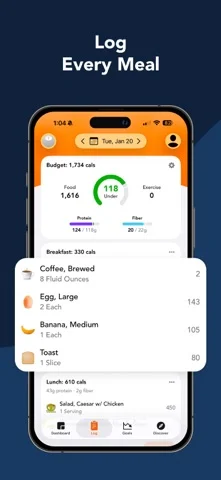
Lose It! is a sensible alternative if the core job is maintaining a calorie budget rather than analyzing every micronutrient. Basic covers calorie tracking, a weight-loss plan and community support. The paid tier adds the camera and voice shortcuts, barcode scanning, fasting and advanced tracking. That split matters: older comparisons can leave the impression that barcode or photo entry is part of the free app. The current US listing puts both under Premium. It also describes GLP-1 medication logging alongside food and weight records, useful as a journal feature for someone already following clinician-directed care.
Logging: Manual/database logging; Premium meal photo, AI voice and barcode.
Free versus paid: Free Basic calorie tracking, weight-loss plan and community. Listing puts photo, voice, barcode and advanced tracking under Premium.
Price check: Multiple Premium SKUs lack a billing period; no standard monthly/yearly price inferred. Public lifetime SKUs exist but eligibility is unverified.
Tradeoff: The shortcuts most likely to attract a Cal AI user are paid. Medication logging and estimated levels are not prescribing or dosing advice. Public Premium price labels are too ambiguous to quote a universal annual fee.
Before you choose: Actual Premium renewal amount and term; Trial eligibility; Feature parity by platform and account.
Sources: US App Store; Google Play.
6.  Kompanion -- People whose main routine is fasting and who also want a food diary
Platforms: iPhone and Android. Browser diary: unclear.
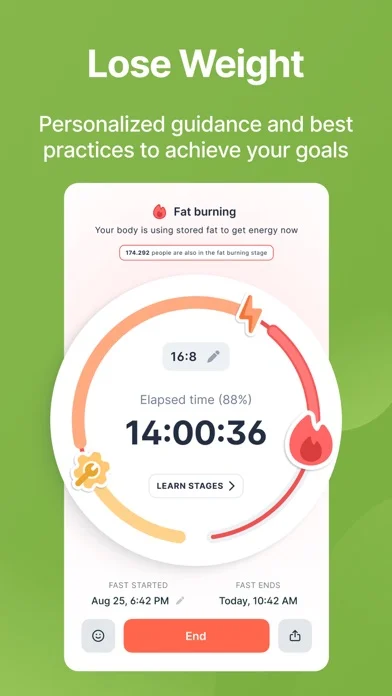
Kompanion is a different kind of replacement: fasting is central, with meal scanning added to calories, macros, water, weight and mood. Choose it for keeping those habits in one app rather than for a proven advantage in calorie estimation. The current iOS listing supports meal scanning and a range of fasting schedules. The company also advertises GLP-1 tracking and its KAI coach in its own comparison article. Those two claims deserve a check in your version before buying because the store description reviewed here does not corroborate them. Check GLP-1 tracking and KAI in your version if you need them.
Logging: Meal photo; fasting timer; water, mood and weight logs.
Free versus paid: Free start with optional Plus. The company advertises free fasting, one meal log/day and limited AI-coach messages, but its product help does not confirm those exact limits.
Price check: Plus Membership has multiple ambiguous SKUs; 3 Months USD 22.99 is explicitly named, but the standard offer is unverified.
Tradeoff: Do not rely on hour-by-hour fasting stages as measurements of your metabolism. The store uses anti-aging and autophagy claims that this guide does not endorse. GLP-1 availability and free quotas remain qualified.
Before you choose: GLP-1 and KAI availability on your platform; Exact free meal quota and current Plus renewal price.
Sources: US App Store; Google Play; Official product/help source.
7.  YouCal -- iPhone users who want camera, text and barcode logging with fasting in one app
Platforms: iPhone. Android and browser diary: unclear.
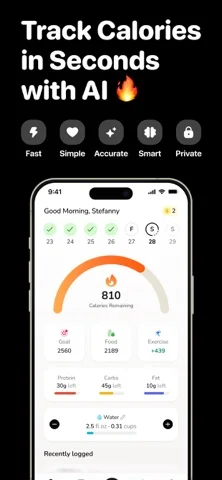
YouCal combines the common photo-logging workflow with text descriptions, barcodes, water and an integrated fasting timer. The listing describes custom fasting durations and a lock-screen Live Activity, making it worth a look if you keep opening a second app to check your eating window. Its value is consolidation: packaged breakfast by barcode, a restaurant lunch by photo, and a fasting timer later. Do not confuse the free download with a free calorie tracker. The same listing explicitly says a subscription is required and advertises a three-day trial.
Logging: Meal photo; typed meal; barcode; fasting and water logs.
Free versus paid: Subscription required; US listing advertises a 3-day free trial. No ongoing free tier established.
Price check: Listed Monthly USD 9.99; Yearly USD 49.99; Yearly Offer USD 26.99; other periods also listed.
Tradeoff: Android availability is unclear. Claims of zero guesswork or exact nutrition go too far: even a barcode depends on the food record and serving size.
Before you choose: Android availability; Offer and trial eligibility; Which fasting and logging features are available in the installed version.
Sources: US App Store; Official product site.
8.  MyFitnessPal -- People who already depend on familiar foods, recipes and fitness connections
Platforms: iPhone, Android and browser. The web version has food and exercise diaries with account sync. Browser help.
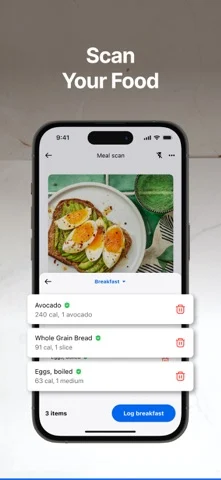
MyFitnessPal makes sense when the cost of switching your saved meals, recipes and connected fitness tools outweighs the appeal of a smaller camera-first app. It has database logging, saved meals, recipes and device integrations, with photo and voice entry in Premium. Premium Plus adds meal planning rather than simply making the same scanner more accurate. Start by checking whether your common brands and restaurant orders are easy to identify and whether the correct serving units are available. A large database is useful when it contains the exact food you need; its size alone is not an accuracy benchmark.
Logging: Database and recipe logging; Premium barcode, meal scan and voice.
Free versus paid: Free download with basic use; faster barcode, meal-scan and voice tools are listed under Premium. A Premium trial is advertised without a fixed duration in the reviewed listing.
Price check: Listed Monthly Premium USD 19.99 and Yearly Premium USD 79.99; other monthly/yearly SKUs also appear.
Tradeoff: The camera, voice and barcode shortcuts are Premium features in the US listing. Do not buy Premium Plus solely for photo scanning when the listed Premium tier already includes meal scan.
Before you choose: Regional barcode/paywall differences; Trial duration for your offer; Premium Plus checkout price and availability.
Sources: US App Store; Google Play.
9.  MacroFactor -- Lifters who want calorie and macro targets adjusted using logged progress
Platforms: iPhone and Android. Browser diary: unclear.
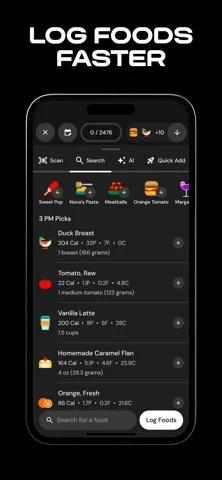
MacroFactor earns its place for the feedback loop after you log. The app uses food intake and weight information to estimate expenditure and adjust calorie and macro targets through weekly check-ins. That makes it a more relevant shortlist option when your problem is deciding how much to eat as your weight trend changes. It also supports photo logging, alongside database and barcode tools. Its photo workflow creates editable food entries. You still need to review those entries and log consistently; an adaptive algorithm cannot turn missing meals into reliable intake data.
Logging: Verified database; barcode; custom foods/recipes; editable AI photo logging.
Free versus paid: Premium-only; 7-day trial; listing explicitly says no free subscription tier.
Price check: US listing states USD 11.99/month, USD 47.99/half year, USD 71.99/year. Additional store SKUs exist.
Tradeoff: No free ongoing tier. The extra planning and trend interpretation can be unnecessary if you only want a quick meal estimate. The older photo-logging announcement does not establish current beta status.
Before you choose: Current AI workflow and limits in the installed version; How well the adaptive approach fits your logging consistency.
Sources: US App Store; Google Play; Official product/help source.
10.  Foodvisor -- People who want meal logging tied to recipes, habits and a nutrition program
Platforms: iPhone and Android. Browser diary: unclear.
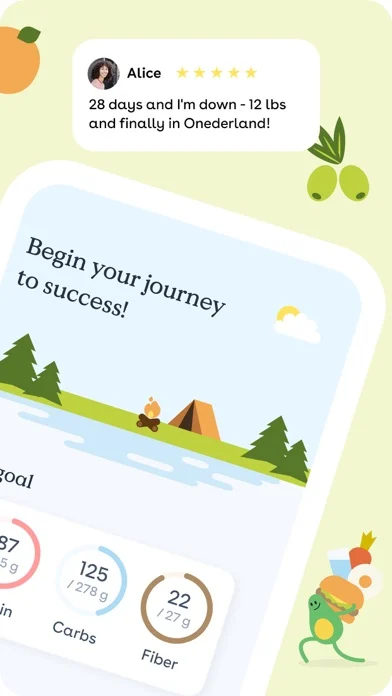
Foodvisor supports four entry routes: a photo, a spoken description, text search and a barcode. It combines those with hydration, fasting and a program built around nutrition goals. The current listing also describes a growing virtual seed and daily quests. That gives it a distinct role for someone who needs a reason to return to the diary rather than more charts to inspect. Premium adds deeper meal analysis, a personalized program, recipes and other guidance. If the broader program interests you, assess those features alongside the food logger so you know what you are actually paying for.
Logging: Meal photo; voice; text/search; barcode; favorites.
Free versus paid: There is a free version and optional Premium. The free photo quota and exact AI limits are unclear.
Price check: Multiple offers: explicitly named one-month SKUs include USD 14.99, USD 29.99 and USD 39.99. No single standard price established.
Tradeoff: The public documents do not give a clear recurring free photo allowance. Internal weight-loss claims in the listing are not controlled comparisons and are not evidence that Foodvisor will outperform the other apps for you.
Before you choose: Free photo/voice quota; Which personalized program is included in each offer; Actual renewal price.
Sources: US App Store; Google Play; Official product/help source.
11.  BitePal -- People who respond to a playful food diary more than detailed spreadsheets
Platforms: iPhone and Android. Browser diary: unclear.
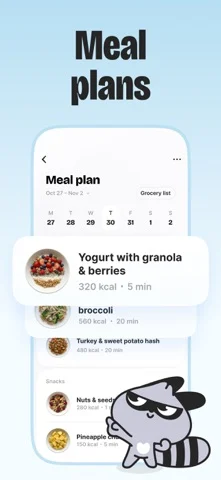
BitePal ties food photography to a raccoon character, outfits and habit feedback. It includes meal scans, nutrition scores, calorie and nutrient views, water, fasting and weekly meal plans. Its appeal is the reward loop around logging. If forgetting to track is your main problem, that is a reasonable reason to compare it with Cal AI. It is a weaker fit if you prefer a quiet, number-focused diary or need detailed control over a large recipe library. We have not measured whether the character or daily feedback improves adherence.
Logging: Meal photo; water, fasting and weight tracking.
Free versus paid: Free download with subscription SKUs. An ongoing free calorie/photo tier is not established.
Price check: Listed weekly SKUs include USD 3.99, USD 4.99 and USD 5.99; annual SKUs vary. Do not assume the cheapest is available.
Tradeoff: Ongoing free scans are unclear. You can log photos; barcode, voice and advanced recipe tools are unclear.
Before you choose: Free/trial terms; Correction workflow and barcode support; Offer-specific renewal amount.
Sources: US App Store; Google Play.
12.  Nutritionix Track -- People who prefer describing food or logging chain-restaurant items to taking photos
Platforms: iPhone, Android and browser at nutritionix.com/dashboard. Browser help.
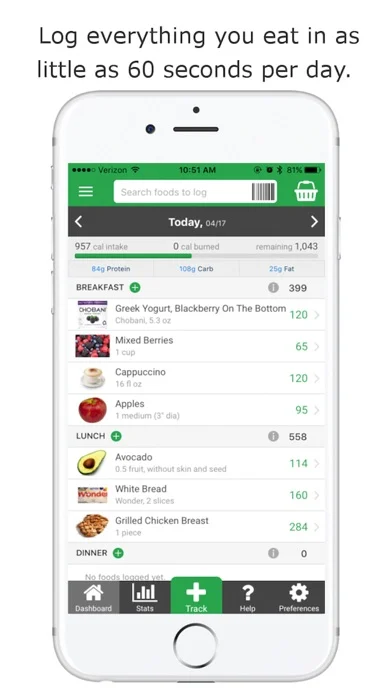
Nutritionix Track is worth comparing if you prefer text entry; meal-photo estimation is unclear. Its shortcuts are predictive search, natural-language entry and a barcode scanner. The database is oriented toward grocery items and restaurant chains in the US and Canada, so its fit depends on where you eat. Custom foods and recipes matter for meals that the database cannot represent as served. Pro is principally relevant if you want to share the diary with a coach through the Coach Portal. That is a different purchase decision from paying to unlock AI food photography.
Logging: Predictive database search; natural-language food entry; barcode; custom recipes.
Free versus paid: Core tracker with optional Track Pro coach-sharing upgrade; listing advertises a 2-month trial for premium features.
Price check: Store: Track Pro Monthly USD 5.99; Yearly USD 28.99. Description rounds annual price to USD 29.
Tradeoff: Natural-language processing is not photo recognition. Restaurant database coverage does not reveal extra sauce or a changed portion. The annual price in the description is rounded relative to the public SKU.
Before you choose: Current platform parity for coach sharing; Coverage of your local brands and independent restaurants.
Sources: US App Store; Google Play.
13.  MyNetDiary -- Budget-conscious users who want substantial ongoing logging without a photo subscription
Platforms: iPhone, Android and browser, with optional account sync. Browser help.
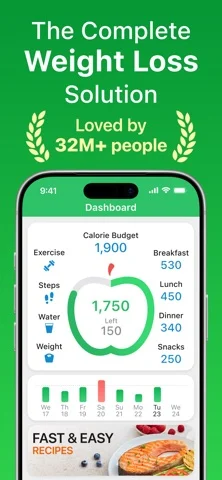
MyNetDiary is a strong free-manual shortlist choice because its listing spells out what stays available: an unlimited diary, barcode scanning, macros, water, recipes and progress charts. It says the free app has no ads and can work offline. The US listing places Meal Scan, adaptive targets, fasting and planning in Premium. Its homepage instead places Meal Scan in Premium Plus; check the photo offer shown to your account. That gives you a clear way to start with measured portions and packaged foods, then decide whether photographing meals saves enough effort to justify an upgrade. The listing distinguishes basic voice logging from AI voice under Premium Plus, so ask which workflow you need before paying for the top tier.
Logging: Database search; free barcode; voice; custom foods and recipes; paid Meal Scan (Premium/Plus source conflict).
Free versus paid: Listing explicitly includes unlimited diary, barcode, macros, recipes, water and voice in Free. The US listing places Meal Scan in Premium, while the homepage places it in Premium Plus. Both were rechecked on October 13, 2026; confirm the tier offered to your account. AI Coach and AI voice are described under Premium Plus.
Price check: Public Premium SKUs include USD 8.99 and USD 59.99 but omit billing periods; no period inferred. Premium Plus also listed.
Tradeoff: Free barcode and voice do not mean free photo scanning. Premium and Premium Plus have different feature sets, and the visible IAP labels do not reliably identify renewal periods.
Before you choose: Basic voice versus Premium Plus AI voice limits; Actual plan/period at checkout; Offline availability of each feature.
Sources: US App Store; Google Play.
14.  Lifesum -- People who want food-quality habits and meal plans alongside calorie counting
Platforms: iPhone and Android. Browser diary: unclear.
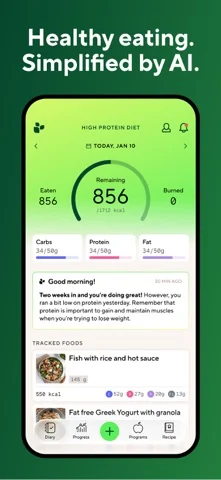
Lifesum combines multimodal meal entry with food ratings, hydration and its Life Score. It is a candidate if you want reminders about food variety and a meal plan as well as a calorie total. The current listing supports photo, voice, text and barcode logging, so older descriptions of Lifesum as a manual-only tracker miss its present direction. Its broad nutrition plans can be useful for someone seeking meal ideas, although a plan that sounds personalized still needs to fit your budget, preferences and actual cooking routine.
Logging: Meal photo; voice; text; barcode; quick tracking; saved foods and recipes.
Free versus paid: Free to use with limited features. Lifesum’s AI Tracking help explicitly places AI Tracking in Premium; a recurring free AI allowance is not established.
Price check: Named yearly SKUs include USD 99.99 and USD 119.99; named three-month SKUs also vary. Checkout determines the offer.
Tradeoff: The sources confirm a limited free version, not unlimited free AI logging. Food ratings and Life Score are app-specific feedback tools; this guide does not treat them as diagnoses or clinical nutrition assessments.
Before you choose: AI Tracking features included in your Premium offer; local recipe and food coverage.
Sources: US App Store; Google Play.
15.  YAZIO -- People who want calories, recipes and fasting in the same routine
Platforms: iPhone and Android. YAZIO says there is no browser, Windows or Mac version. Platform help.
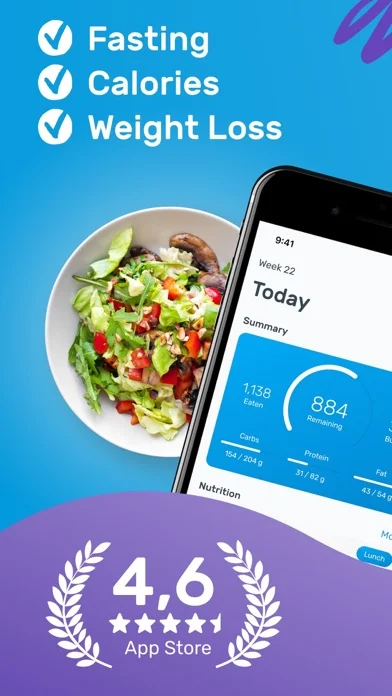
YAZIO combines a conventional food diary with fasting, water and a recipe library. That makes it a reasonable comparison for someone whose goal is organizing eating habits rather than only reducing typing. The important correction is the photo paywall. Its help center explicitly says AI photo recognition was initially free and now belongs to Pro. This is the kind of change that makes undated free-app roundups unreliable. Start by deciding whether the free diary suits your needs; treat the photo logger and the extra planning features as a separate paid decision.
Logging: Database search; barcode; AI meal photo; custom meals.
Free versus paid: Free calorie counter. Official help says photo recognition was initially free and is now part of YAZIO Pro.
Price check: Public 12-month SKUs include USD 23.90 and USD 47.90; other Pro SKUs omit periods. Offer eligibility unverified.
Tradeoff: Do not choose YAZIO on the assumption that AI photos remain free. The publicly listed prices include multiple offers, and a lower-priced annual SKU is not a guaranteed renewal quote.
Before you choose: Trial eligibility and actual Pro renewal price; Platform/version differences.
Sources: US App Store; Google Play; Official product/help source.
16.  fatsecret -- People who want a free diary with community and optional professional sharing
Platforms: iPhone and Android. Browser diary: unclear.
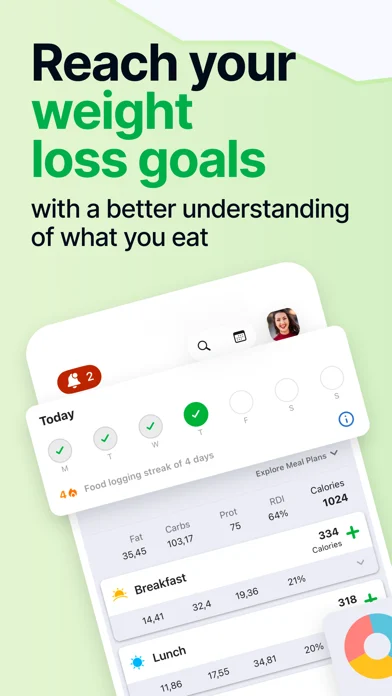
fatsecret combines a food diary, barcode scanning, image recognition, weight tracking and community features. It also offers diary sharing through fatsecret Professional, which gives it a role beyond a standalone calorie camera. The current listing describes image recognition among the general features; it does not explain it as a fully automatic estimate of every ingredient and portion on a plate. That distinction matters when comparing it with Cal AI. Choose it for the core diary and support connections, then check how the picture workflow actually handles your meals before relying on it.
Logging: Food diary; barcode; image recognition of foods/meals/products; custom journal and recipes.
Free versus paid: Free core diary, barcode and image recognition are described outside Premium. Premium adds meal plans, custom meal headings and water tracking. No unlimited AI quota stated.
Price check: Named monthly SKUs include USD 10.49 and USD 14.99; annual SKUs USD 38.99 and USD 59.99.
Tradeoff: Image recognition support does not prove equivalent photo-estimation capability or an unlimited scan allowance. Water tracking is listed under Premium, despite being free in several other products.
Before you choose: Image-recognition workflow and limits; Actual paid offer; Professional-sharing fit for your clinician.
Sources: US App Store; Google Play.
17.  Carb Manager -- People who prioritize net carbs and low-carb meal planning
Platforms: iPhone, Android and browser at my.carbmanager.com. A registered account is required. Browser help.
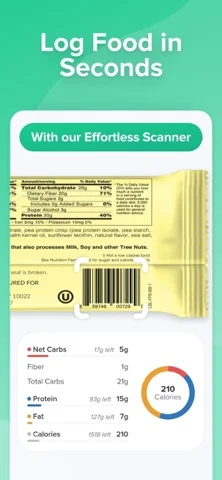
Carb Manager is the most directly low-carb-oriented choice in this list. Its free net-carb tracking and barcode scanner may matter more to a keto user than another general calorie camera. Premium adds food photography, fasting tools, recipes, reports and additional health metrics. It can therefore replace both a food diary and part of a low-carb planning routine. Look at the carb definitions and serving sizes for your usual products before committing. An app's net-carb display is a tracking convention, not a guarantee that a food fits your individual medical needs.
Logging: Database search; unlimited free barcode; Premium meal photo; custom food tracking.
Free versus paid: Free download/use, net-carb tracking and unlimited barcode scanner. Photo logging is Premium per official product page.
Price check: Named Premium 1 Month USD 8.49; 1 Year SKUs include USD 29.99, USD 39.99 and USD 59.99.
Tradeoff: Photo logging is paid. The diabetes-related tracking features do not make this guide a basis for insulin dosing or medication decisions. The low-carb emphasis may be unnecessary for someone who only tracks protein and calories.
Before you choose: Actual offer and trial; Carb conventions appropriate to your care plan.
Sources: US App Store; Google Play; Official product/help source.
18.  MacrosFirst -- People who already have macro targets and want help building portions to match them
Platforms: iPhone and Android. There is a web app at app.macrosfirst.com, but it is unclear whether it supports food logging or only account and coaching functions. Web app.
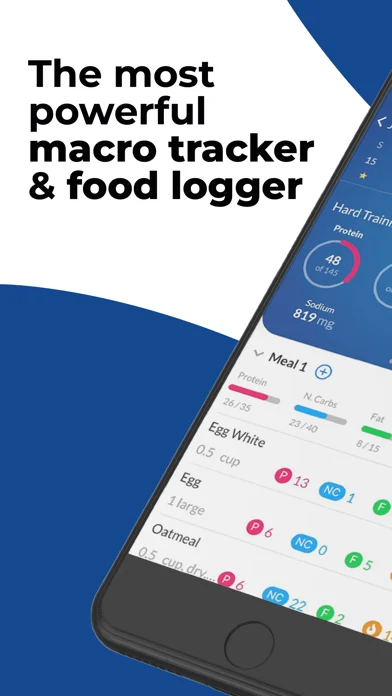
MacrosFirst makes serving-size calculation a central feature. You can set daily and meal-level macro goals, then calculate portions against those targets. That is a useful alternative to photographing a finished plate if you are planning meals around a protein or carbohydrate budget. Barcode and nutrition-label scanning support packaged ingredients; Premium adds AI photo, voice and text entry. The paid tier also brings multiple daily goals, recipe import and exports, which may be relevant to carb cycling or sharing data with a coach.
Logging: Database; barcode; nutrition-label scan; Premium photo, voice and text food search.
Free versus paid: Free to download/use with optional Premium. AI meal search through photo, voice or text is explicitly Premium.
Price check: Premium SKUs include USD 11.99, USD 41.99, USD 71.99 and USD 79.99 without clear billing periods; no period inferred.
Tradeoff: Nutrition-label scanning reads a printed label; it is not the same feature as recognizing a cooked meal. Premium AI is the relevant tier if you are replacing Cal AI specifically for photos.
Before you choose: Exact renewal period and price; Serving-size calculator behavior in practice; Free limits for ancillary tools.
Sources: US App Store; Google Play.
19.  Carbon -- People who want weekly check-ins and target adjustments rather than a camera-first diary
Platforms: iPhone and Android. web.joincarbon.com handles sales and onboarding; a browser food diary is unclear. Website.
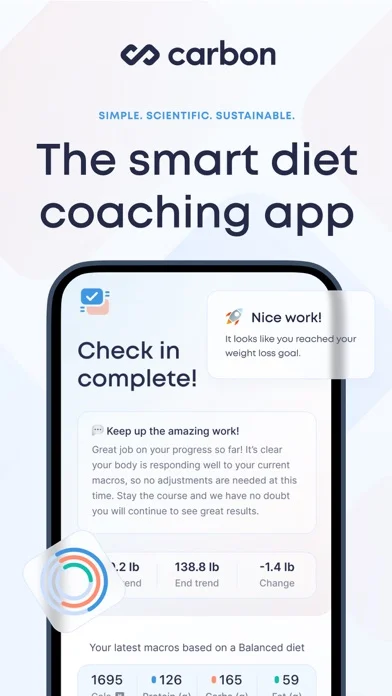
Carbon is organized around logging food and body weight, then checking in each week. It adjusts the plan as you progress and explains the check-in outcome. The diet planner also supports varying intake across days. That makes it relevant if you know how to log meals but struggle to decide when or how to change your targets. The listing describes a conventional database, barcode scanner and custom meal tools. We did not verify meal-photo recognition, so Carbon should not be sold as a drop-in camera replacement.
Logging: Food database; barcode; quick-add macros; favorite/copy meals; custom foods and recipes.
Free versus paid: Paid subscription product; ongoing free tier not established. Promotional trials exist but are not a universal trial promise.
Price check: Listed Monthly USD 11.99; Six Month USD 59.99; Yearly USD 99.99.
Tradeoff: Regular food and weight records are part of the intended workflow. It adds structure and subscription cost to a task that a free diary may already handle adequately. Automated coaching is not a substitute for individual medical advice.
Before you choose: General trial eligibility; Photo logging availability, if newly added; Fit with your check-in and weighing habits.
Sources: US App Store; Google Play.
20.  RP Diet Coach -- People who want a prescribed meal structure with portion and timing guidance
Platforms: iPhone and Android. Browser diary: unclear.
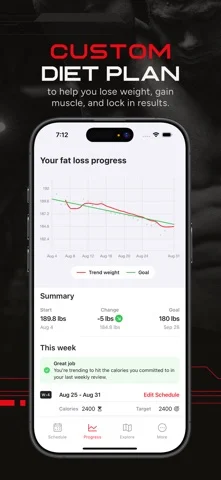
RP Diet Coach starts earlier in the process than a photo calorie counter. You choose foods and a goal; the app helps organize how much to eat and when, then updates the plan through weekly reviews. The current listing distinguishes raw and cooked food tracking and includes barcode and AI nutrition-label scanning. Those are useful details for someone weighing ingredients or preparing meals in batches. The product is a better shortlist candidate when you want to plan tomorrow's meals than when you simply want a number for tonight's restaurant plate.
Logging: Database; barcode; AI nutrition-label scan; raw/cooked tracking; planned meals.
Free versus paid: Subscription grants full access; no ongoing free tier established. Standard trial duration unverified.
Price check: Named Monthly SKUs USD 14.99 and USD 19.99; Yearly USD 99.99 and USD 149.99. Older sale/referral SKUs also exist.
Tradeoff: AI label scanning should not be described as AI meal-photo estimation. Its scheduling and planning emphasis can feel unnecessary if you prefer flexible retrospective logging. Public prices include dated promotions and referrals.
Before you choose: Actual regular offer and trial; Any newly introduced meal-photo feature; Whether meal-timing guidance suits your schedule.
Sources: US App Store; Google Play.
21.  My Macros+ -- Experienced macro trackers who want custom goals, Watch access and optional coaching
Platforms: iPhone, Android and browser with Pro. Macro Coach includes Pro; check your purchase terms. Pro plans.
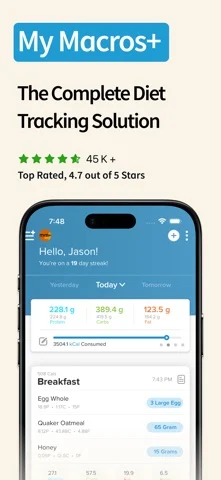
My Macros+ has barcode and nutrition-label scanning, AI meal photography, custom foods, offline database access and Apple Watch logging. It is worth considering if you already know your macro targets and want flexibility in serving sizes and meal organization. Pro adds analysis, multiple macro goals and exports, while Macro Coach is a separate optional coaching subscription. Older recommendations may describe a one-time upfront purchase. The current US store listing retrieved for this guide shows a free download, so that older pricing description should not be carried forward without checking your store.
Logging: Database; barcode; nutrition-label scan; AI meal photo; custom foods; Siri/Shortcuts.
Free versus paid: Current US listing is a free download with optional Pro and Macro Coach subscriptions. Exact free photo allowance not established. The Macro Coach page advertises a 14-day trial for that separate upgrade, not a universal trial for Pro or photo logging.
Price check: Named Pro Monthly USD 3.99; Pro Annual USD 29.99 and USD 34.99. Macro Coach is a separate SKU with an unclear displayed period.
Tradeoff: Free download does not establish free unlimited AI scans. Pro and Macro Coach are distinct upgrades. The official Pro website shows different prices from the US-store SKUs; we do not assume the web currency, account offer or checkout terms match. Offline food records do not imply that photo analysis runs offline.
Before you choose: Free photo limits and feature boundaries; Macro Coach billing period; Cross-platform purchase and feature parity.
Sources: US App Store; Google Play.
22.  Healthify -- People interested in gallery-based logging or adding professional coaching
Platforms: iPhone and Android. Browser diary: unclear.
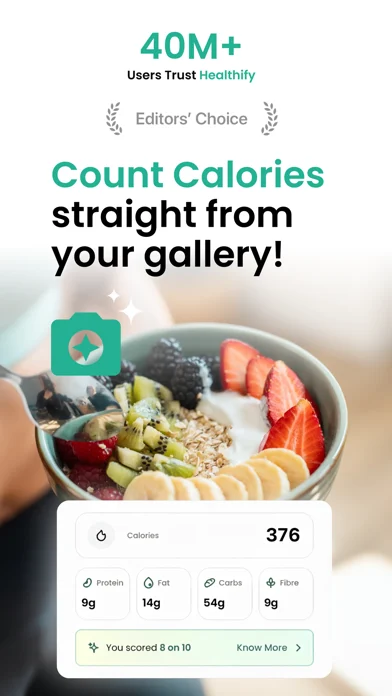
Healthify has Snap photo recognition, voice logging and Auto Snap, which identifies meal pictures from the phone gallery. Its Ria AI coach supplies meal ideas and feedback, while separate one-to-one coaching plans connect users with human professionals. The useful distinction is how much support you want: a scanner, conversational guidance, or a person reviewing the broader routine. Gallery automation could reduce forgetting to log photos you already take, but it also makes photo permissions and the resulting entries important to review.
Logging: Meal photo; voice; gallery auto-detection; AI food search; health/activity logs.
Free versus paid: Free download. The ongoing free scan quota and full differences between free, AI and human-coaching plans are unclear.
Price check: Named Monthly Subscription USD 14.99; yearly SKUs vary. AI, Smart and AI + Coach labels indicate different products, not interchangeable plans.
Tradeoff: Do not treat Ria as the same service as a dietitian. Public marketing includes free and early-access language that does not establish a universal ongoing scan quota. Human-coaching bundles need their own scope and price check.
Before you choose: Recurring free quota; Availability and qualifications of a human coach in your region; Gallery permissions, retention and correction behavior.
Sources: US App Store; Google Play; Official product/help source.
23.  Fitia -- People who want a food log to become a weekly meal plan and grocery list
Platforms: iPhone and Android. Browser diary: unclear.
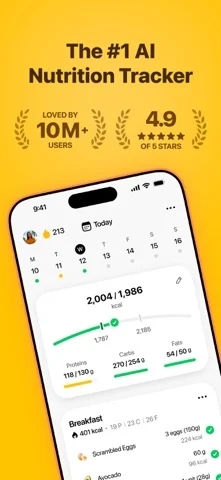
Fitia joins a calorie diary to a planning engine. Its listing describes meal plans, a grocery list, recipes, progress tracking and AI coaching, plus photo, voice and typed meal entry. The planning side is the reason to compare it with a camera-first tracker: the app can help answer what to cook next, not only estimate what you already ate. Its official article distinguishes free barcode/basic tracking from Premium photo and voice. If you prepare meals for the week, assess the ingredient choices and shopping list before paying for the scanner alone.
Logging: Database/manual; free barcode; Premium photo, voice and typed-meal recognition.
Free versus paid: Basic tracking and barcode scanning are free; Premium adds photo/voice logging, plans and shopping lists.
Price check: Listed Premium 1 Month USD 19.99; 12 Months USD 59.99, with other annual SKUs; Family 1 Year USD 89.99.
Tradeoff: Photo and voice meal entry require Premium; the text-AI limit is unclear. A generated plan still needs practical review for ingredients, portions, allergies and cost. Store family pricing should not be treated as a single-person quote.
Before you choose: Trial eligibility; Text-AI free/Premium limits; Country-specific database and plan coverage.
Sources: US App Store; Google Play; Official product/help source.
24.  AteMate -- People who want food awareness with less emphasis on daily calorie targets

Platforms: iPhone and Android. Browser access includes read-only journal sharing and a separate coach dashboard. Food entry in the browser is unclear. Sharing help.
AteMate, the current name of the Ate food journal, approaches the problem differently. The listing presents a photo-based health journal with mood, hydration, movement and sleep, then adds AI coaching across that history. Calories and macros are optional learning tools rather than mandatory daily targets. That makes it a relevant alternative for someone leaving Cal AI because the constant budget-checking is not helping them. It is a less direct fit for a lifter who needs a precise remaining-protein target on every screen. This is a workflow choice, not a claim that journaling is clinically superior.
Logging: Meal photo with recognition; food/mood/water/movement/sleep journal; optional calories and macros.
Free versus paid: 7-day full-access trial followed by subscription; journal and AI-coach access have separate tiers.
Price check: Listed AteMate Monthly USD 9.99; Yearly USD 49.99; AteMate Coach Monthly USD 19.99.
Tradeoff: The base journal, Coach and Coach Plus tiers offer different AI access. This is not presented as eating-disorder treatment. Anyone whose tracking increases distress should seek qualified support rather than assume an AI journal solves it.
Before you choose: Exact AI limits per tier; Current regional renewal offer; Suitability for an individual mental-health or nutrition care plan.
Sources: US App Store; Google Play.
25.  Foodnoms -- Apple-device users who value food-log control, exports and automation
Platforms: iPhone. Android and browser diary: unclear.
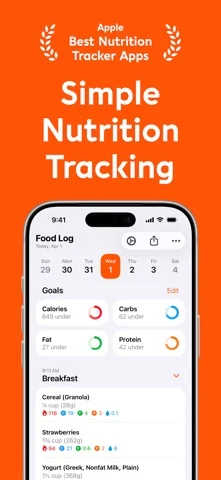
Foodnoms combines a detailed food diary with Apple-specific convenience: iPhone, iPad, Mac and Apple Watch, plus Siri, Shortcuts and widgets. The listing clearly separates a substantial free diary from Foodnoms+, which adds photo/text AI, extra nutrient goals, analysis and Calibrated Energy. Free CSV export is useful if you want to retain access to your records rather than depend entirely on in-app charts. Its estimate-confidence tagging is another reason to inspect it if you want to distinguish a weighed meal from an approximate restaurant entry.
Logging: Database; barcode; nutrition-label scan; Plus photo/text AI; voice/Siri/Shortcuts; recipes.
Free versus paid: Free unlimited food tracking, barcode, calorie/macro goals, recipes, Apple Health export and CSV export. Photo/text AI and Calibrated Energy are Foodnoms+.
Price check: Named individual Annual SKUs USD 39.99 and USD 59.99; Monthly USD 5.99 and USD 11.99. Family SKUs differ.
Tradeoff: Photo AI is paid. Android availability is unclear. The store lists multiple individual and family prices, so check the exact renewal offer rather than assuming the lowest SKU.
Before you choose: Android availability; Which individual/family price applies; Cloud-sync and remote-AI privacy details.
Sources: US App Store; Official product site.
Logging methods and browser access
Unclear means the official pages did not settle whether a feature is available. It does not mean “no.” Browser features may differ from the phone app; a subscription website is not necessarily a web food diary.
Manual entry and AI meal descriptions are listed separately. A photo journal may save pictures without estimating portions, and Siri shortcuts may not accept a full spoken meal. The plan limits in the comparison and reviews above still apply.
| App | Meal photo | Voice | Barcode | Manual or text | Browser access |
|---|---|---|---|---|---|
| 123 Cal | Yes | Dictation; Watch dictation | Yes, version 1.2 | Typed description and edits; full database entry unclear | Unclear |
| SnapCalorie | Yes | Yes | Unclear; label photo is different | Edits and ingredient hints; full database diary unclear | Unclear |
| NutriScan | Yes | Yes | Unclear | Typed description and editable portions | Unclear |
| Cronometer | Gold | Gold | Free | Database, custom foods and recipes | Yes |
| Lose It! | Premium | Premium | Premium | Free Basic diary | Help describes it; live help page blocked |
| Kompanion | Yes | Unclear | Unclear; company promotes photo/text | Typed meal advertised by vendor; database diary unclear | Unclear |
| YouCal | Yes | Unclear | Yes | Typed meal description | Unclear |
| MyFitnessPal | Premium | Premium | Premium in US listing | Basic database and recipes | Yes |
| MacroFactor | Yes | Keyboard dictation in Describe | Yes | Typed Describe, database, custom foods and recipes | Unclear |
| Foodvisor | Yes | Yes | Yes | Text/search and favorites | Unclear |
| BitePal | Yes | Unclear | Unclear | Structured manual food entry unclear | Unclear |
| Nutritionix Track | Unclear | Unclear | Yes | Database, natural-language text and recipes | Yes |
| MyNetDiary | Paid; Premium/Plus source conflict | Basic voice free; AI voice Premium Plus | Free | Unlimited free diary and recipes | Yes |
| Lifesum | Premium AI Tracking | Premium AI Tracking | Yes | Text, search, saved foods and recipes | Unclear |
| YAZIO | Pro | Unclear | Yes | Free database diary and custom meals | Not offered, per official help |
| fatsecret | Image recognition; automatic portion workflow unclear | Unclear | Free | Free diary and custom foods | Unclear |
| Carb Manager | Premium | Unclear | Unlimited free | Database and custom foods | Yes |
| MacrosFirst | Premium | Premium | Yes | Database, custom goals and portions | Web app exists; food logging unclear |
| Carbon | Unclear | Unclear | Yes | Database, quick-add macros and recipes | Unclear |
| RP Diet Coach | Meal photos unclear; label scanning available | Unclear | Yes | Database, raw/cooked weights and planned meals | Unclear |
| My Macros+ | Yes; free quota unclear | Siri/Shortcuts; meal dictation unclear | Yes | Database, custom foods and serving sizes | Yes, with Pro |
| Healthify | Snap and Auto Snap | Yes | Unclear | AI food search; numeric entry unclear | Unclear |
| Fitia | Premium | Premium | Free | Basic database; typed AI meals also advertised | Unclear |
| AteMate | Photo journal and recognition; calories optional | Unclear | Unclear | Reflective journal; numeric diary workflow unclear | Read-only sharing and coach dashboard |
| Foodnoms | Foodnoms+ | Voice, Siri and Shortcuts | Free | Free diary, custom foods and recipes | Unclear |
MacroFactor’s Describe help, rechecked October 13, 2026, explains how to type a meal or use keyboard dictation, then review foods and quantities before logging. Its AI Food Logging help covers editable meal-photo results. These logging details were updated; the historical prices in the reviews above have not been rechecked.
For desktop-heavy tracking, try the browser diaries in Cronometer, MyFitnessPal, Nutritionix Track, MyNetDiary, Carb Manager or My Macros+ Pro. Lose It! also has indexed official web instructions, but its live help page was blocked during the recheck. AteMate’s read-only journal sharing and professional dashboard serve different jobs. Foodnoms offers a native Mac app; that is not a browser version.
↑ Back to contentsThe differences that matter before you switch
Can you correct the meal without starting again?
A useful photo logger should give you a practical way to change the food, portion or ingredients. Look for separate food entries and editable amounts. A clean-looking calorie number is not proof that the app identified your recipe. Cronometer and MacroFactor let you review and edit matched foods. 123 Cal and NutriScan also let you edit estimates.
Is the free part the part you actually need?
Free download, a free trial and a recurring free tier are different offers. If you plan to photograph meals every day, a free barcode scanner does not replace that workflow. SnapCalorie has a daily AI allowance. NutriScan has a smaller weekly photo allowance; check whether voice and text share it. Cronometer, Lose It!, YAZIO, MyNetDiary, MacrosFirst, Fitia, Carb Manager and Foodnoms all have relevant paid-photo distinctions described in the reviews above.
Do you want a diary or a plan?
A diary records what happened. A planning app helps decide what to eat next. An adaptive coach also uses your records to revise targets. Choose based on the problem you keep encountering. Paying for meal plans makes little sense if you already cook the same meals and mainly need faster entry.
Will it work with your food and your phone?
Check common local brands, mixed dishes, serving units and your preferred language. Do not assume a barcode database covers an independent restaurant recipe. Hardware-specific depth sensing is not a universal phone capability. If you use a Watch, check what the app actually lets you do there: displaying a target and logging a dictated meal are different levels of support.
↑ Back to contentsFive claims to treat carefully
“SnapCalorie is completely free.” An older official blog post uses that wording. The current FAQ is more specific: up to three AI logs per day free, with optional Premium. Its ex-Google team, photo/voice entry and micronutrient tracking do not make unlimited use free or prove superior accuracy.
“NutriScan is better at international food.” Its own comparison promotes support for Indian and other home-cooked cuisines. We found no independent head-to-head evidence that establishes superiority over Cal AI or the other apps here. You can add cooking details and edit oil assumptions. Monika and five weekly free scans are useful features, but they do not show that recognition is more accurate.
“Cronometer has free photo logging.” Its photo help says Gold. The free barcode scanner does not change that paywall.
“Lose It! includes photo and barcode logging for free.” The current US listing puts photo, voice and barcode under Premium. Basic remains a useful manual diary.
“Kompanion combines fasting, water and GLP-1 tracking.” Fasting, water and meal scanning are corroborated in its store listing. GLP-1 tracking and KAI coaching are advertised in Kompanion’s own comparison content, but the reviewed store description does not corroborate them. Confirm those features in your platform/version if they drive the purchase. Medication logging is not dosing advice.
↑ Back to contentsWhich one should you try first?
You want a free photo-logging replacement
Start with SnapCalorie, for its daily free AI allowance. Try NutriScan if occasional scans plus meal planning and AI conversation are the bigger draw. Confirm NutriScan’s shared quota before building a daily routine around free voice or text logging.
Do not choose Cronometer or YAZIO because an older roundup called their photo tools free. Their current official materials put photo entry in Gold and Pro respectively.
You want reliable records without another subscription
Compare Cronometer, MyNetDiary and Foodnoms. Cronometer emphasizes nutrient detail. MyNetDiary lists extensive free diary, macro and barcode tools. Foodnoms offers free tracking and CSV export with an Apple-device focus. “Reliable” here means a workflow that lets you choose, measure and review records; we have not established that one app produces more accurate meal totals than the others.
You lift and want to hit protein
Consider 123 Cal if you want photo/text/voice estimates and protein remaining on your wrist. Consider MacrosFirst if you already know your goals and want help choosing serving sizes. Consider MacroFactor or Carbon if you want regular target adjustments. Choose RP Diet Coach when planned meals and timing are a better fit than logging after the fact.
123 Cal is our product. Choose it for a protein-focused diary, not as a substitute for a portion calculator or weekly coach.
You want help deciding what to cook
Compare Fitia, Foodvisor, Lifesum and NutriScan on the actual plans and grocery workflow. A scanner can be convenient while the generated plan is still impractical. Check whether suggested foods match your budget, dietary restrictions and time to cook.
You want fasting and calorie tracking together
Compare Kompanion, YouCal and YAZIO. They include fasting and food tracking, with different free and paid limits. A timer does not measure your current metabolic state. Do not adopt extended fasting based on an app’s promotional benefits, especially if you are pregnant, take glucose-lowering medication or have a history of disordered eating; discuss that plan with a qualified clinician.
You want less focus on calorie budgets
Look at AteMate. Optional calories and reflective journaling make it a different alternative rather than a less capable copy of a calorie counter. If tracking itself is causing distress, the right next step may be human support rather than another subscription.
↑ Back to contentsA practical way to compare your finalists
Try the same meals in each app:
- Pick a packaged food, a home-cooked mixed meal and a restaurant meal you commonly eat.
- For the packaged food, compare the app entry with the label and the amount you actually consumed. Check the serving unit.
- For the home-cooked meal, record weighed ingredients, cooking fats and the portion served. Keep raw and cooked weights consistent with the database entries.
- For the restaurant meal, add known details from the menu. Accept that an exact reference total may be unavailable.
- Review each scan. Note missing foods, implausible portions and whether fixing them is straightforward.
- Repeat a familiar meal later. Check whether your corrected version is easy to reuse.
- Look at the purchase confirmation before accepting a trial: full charge, billing period, trial end, renewal terms and cancellation route.
- Check export, photo permissions and account deletion. A convenient diary is easier to leave when your records are portable.
Do not convert this small personal check into a universal accuracy claim. It can tell you whether the app fits your own meals and tolerance for corrections.
↑ Back to contentsFrequently asked questions
What are some alternatives to Cal AI?
Close photo-logging alternatives include SnapCalorie, 123 Cal, NutriScan, YouCal, Foodvisor and BitePal. Established diaries such as Cronometer, MyFitnessPal, MyNetDiary, Lifesum and YAZIO also offer photo tools, often in a paid tier. MacroFactor adds adaptive macro coaching. Nutritionix Track, Carbon and RP Diet Coach offer different logging or planning workflows; this research did not establish meal-photo estimation for those three.
Is there a free version of Cal AI?
Cal AI is free to download, but its US App Store description says food-scanning analysis results require a subscription. Its official website advertises a three-day free trial. Those facts do not establish an ongoing free scanning tier, and trial eligibility can depend on the offer presented to you.
The public US App Store page checked on September 9, 2026 lists several purchases named “Unlimited” or “Unlimited Plan”, including USD 29.99, USD 19.99 and other amounts. Those labels do not state billing periods, so we cannot responsibly call USD 29.99 the annual price. Check the subscription screen for the actual term and renewal charge.
Cal AI’s FAQ explains that deleting the app does not cancel a subscription. It also says subscriptions do not currently transfer between iPhone and Android. Use the billing provider associated with the purchase to manage it.
Sources: Cal AI US App Store; official website and trial offer; official FAQ.
Does Cal AI actually work well?
Cal AI supports photo, barcode and descriptive meal logging. That can be useful if the alternative is abandoning a manual diary. We have not tested its accuracy, correction speed or reliability, so this guide cannot give it a hands-on performance verdict.
The company’s FAQ says it is “about 80% accurate”, but the page does not define the benchmark, sample or error measure. Treat that as a vendor statement, not proof that each meal is within a particular calorie margin. It is not comparable with another company’s differently defined accuracy percentage.
Hidden cooking fats, sugars and ingredients are a general limitation of estimating meals from pictures. SnapCalorie’s own FAQ acknowledges that its algorithm makes an educated guess about non-visible ingredients. A food database can improve the ingredient record while the amount or recipe remains wrong. Review estimates and add information you know. Use a clinician-directed method for decisions where a nutrition error could cause harm.
Sources: Cal AI FAQ; Cal AI product page; SnapCalorie’s explanation of hidden ingredients.
Which AI food tracker is the best?
We cannot name an accuracy winner without comparable tests. SnapCalorie is the first free-photo option to inspect, Cronometer is the nutrient-detail shortlist choice, and MacroFactor is the adaptive-target shortlist choice. 123 Cal, our own app, is aimed at iPhone and Apple Watch users who want a visible daily protein budget and editable AI estimates.
Choose the app whose corrections, food coverage, free limits and renewal price fit your routine. None of those recommendations means we tested all 25 or proved that one model recognizes every meal better.
Medical caveat
AI calorie trackers cannot replace a dietitian. Logging, general suggestions and automated plans are different from individualized clinical care. Medical-condition keywords in an app description do not establish clinical validation. Confirm the credentials and scope when a product separately sells human coaching.
↑ Back to contents