Quick comparison: what would actually change?
Comparison table. Scroll horizontally to see every column.
| Choice | Best reason to investigate | Access boundary | Main switching question |
|---|---|---|---|
| 123 Cal, our app | Editable meal estimates and protein remaining on iPhone/Watch | First 3 days advertised free; Pro for continued scans [1][2] | Do you prefer its correction flow enough to rebuild your usual meals? |
| Cronometer | Nutrient detail with an ongoing free diary; web, iOS and Android | Basic continues free; Gold adds ad removal and other features [5][6] | Are you comfortable leaving Foodnoms' ad-free core for this free tier? |
| MacroFactor | Weekly adaptive calorie and macro targets | Paid subscription after a trial; no ongoing free version [7] | Will you keep sufficiently complete food and weight records? |
| Keep Foodnoms | Ad-free core tracking across Apple devices | Free calories/macros; Foodnoms+ adds nutrients and features [3][4] | Is a specific paid feature your only objection? |
This is a fit comparison, not a cheapest-app ranking. Foodnoms directs readers to regional in-app pricing. Compare the actual renewal offers you can purchase rather than mixing a monthly headline with a yearly total. [4]
OUR RECOMMENDATION · OUR OWN APP
 1. 123 Cal: our recommendation for a photo-and-protein routine
Open the App Store ↗


English UI. Developer-supplied iPhone images, not our test results. Official source.
123 Cal fits a specific change of habit: take a meal photo, add a portion or cooking note, review the estimate and correct it before saving. The listing also describes barcode and nutrition-label scanning, saved meals and corrections by voice or text. Its Apple Watch app shows calories and protein remaining and supports dictated meal descriptions and recent-meal logging. [1][2]
The reason to try it is whether that review-and-correct flow suits you. Foodnoms itself advertises photo and text-based AI logging, so a camera button alone is no reason to move. Neither a product page nor a supplied screenshot establishes that one app will estimate your dinner more accurately. [1][3]
Access: the US and Ukrainian listings describe a 3-day trial followed by Pro for continued meal scanning. Public purchase labels differ between those storefronts. Check the billed period, renewal amount and eligibility in your own offer; a free download does not mean ongoing free scans. [1][2]
Stay with Foodnoms instead if its native Mac or iPad workflow is central to your diary. Foodnoms explicitly markets those native apps. We are recommending 123 Cal here for iPhone and Apple Watch, without claiming a matching native Mac or iPad experience. [1][3]
 2. Cronometer: investigate the free nutrient diary first
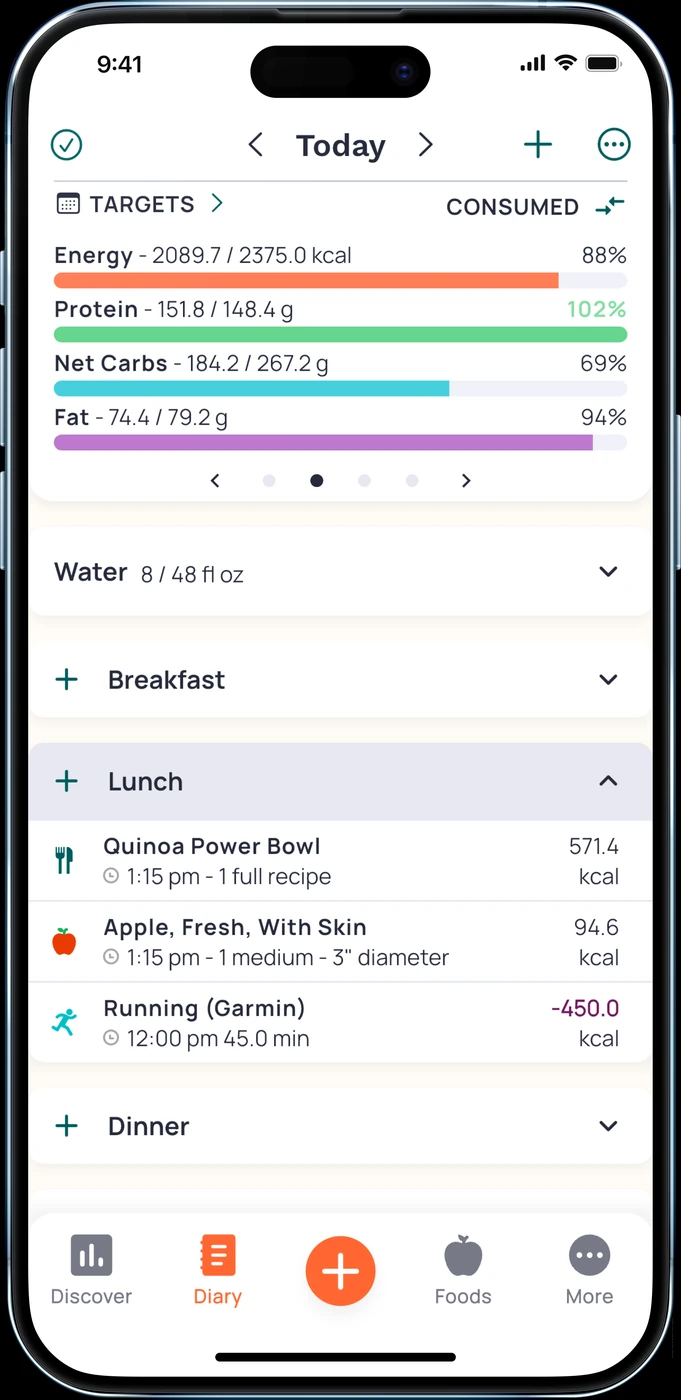
English UI. Developer-supplied iPhone images, not our test results. Official source. From the press kit; images belong to the developer. No endorsement implied.
Foodnoms' plan page separates free calories and macros from the broader nutrient tracking in Foodnoms+. If your next question is about vitamins and minerals rather than just calories and protein, Cronometer deserves a look. Its website documents detailed nutrient tracking, and its Basic documentation says the free version can be used indefinitely. [4][5][6]
Basic includes custom foods and recipes, selected device integrations, limited analysis tools and raw-data export. Cronometer's website also explicitly advertises free barcode scanning and availability on web, iOS and Android. That makes it a more relevant shortlist entry when you are leaving an Apple-only routine than another iPhone-only recommendation. [5][6]
Gold access and ads
There is a tradeoff: Gold is the tier that removes advertisements and adds long-term charts, recipe importing and other tools. Creating a recipe in Basic and importing one from a website under Gold are different features. Do not buy an upgrade until you have checked the exact task you need. [6]
Keep Foodnoms if an ad-free diary and native Apple-device experience matter more to you than the additional nutrient view. For the narrower two-app decision, read our Foodnoms vs Cronometer comparison.
3. MacroFactor: consider it when target-setting is the problem
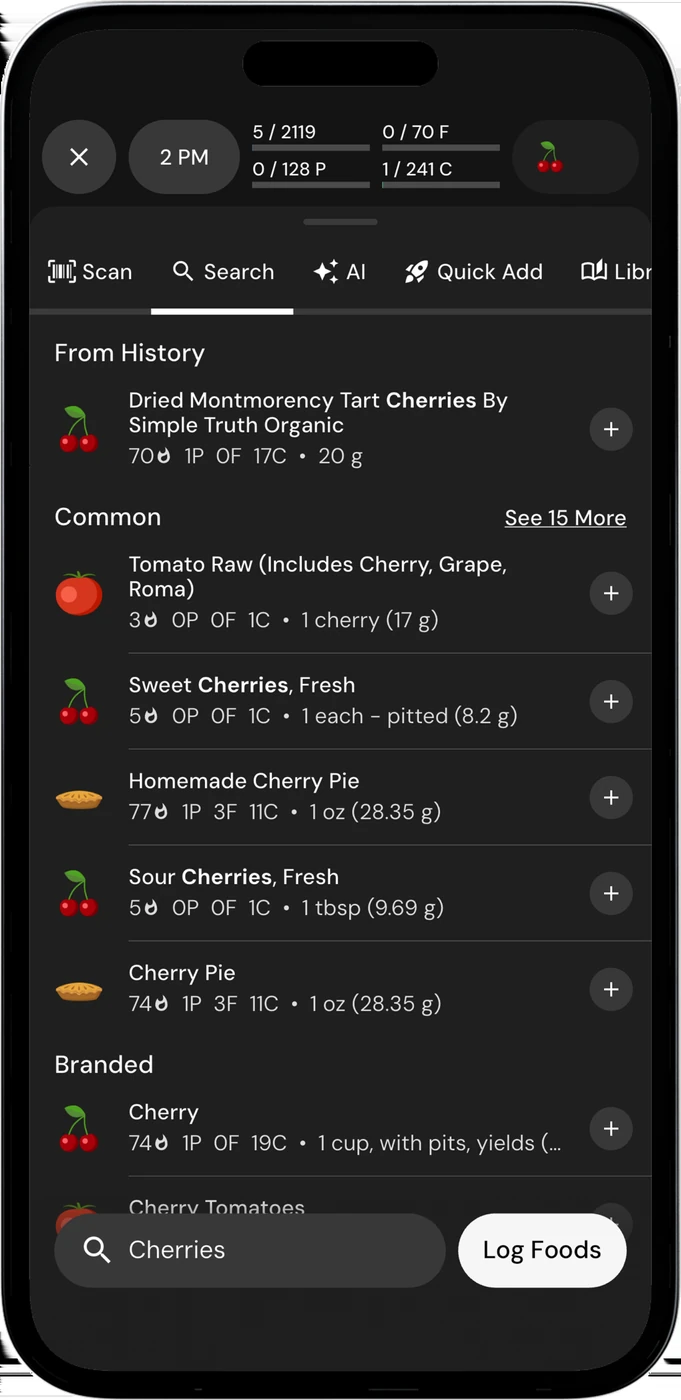
English UI. Developer-supplied iPhone images, not our test results. Official source. From the press kit; images belong to the developer. No endorsement implied.
MacroFactor addresses a different reason to switch. Its nutrition app documents weekly target adjustments using food intake and changes in body weight to estimate energy expenditure. It also provides manual and collaborative modes, food search, barcode and label scanning, photo logging and recipe tools. [7]
Foodnoms+ also estimates expenditure from food logs and weigh-ins through Calibrated Energy, rechecked on 13 October 2026. You review and apply its estimate; nothing changes on its own. Compare that process with MacroFactor's weekly target adjustments instead of choosing on the assumption that only MacroFactor uses food and weight records. [3][7]
Logging requirements and paid access
Before paying, ask whether you want to maintain the inputs that make those adjustments useful. MacroFactor's own explanation warns about partially logged days: a missing dinner can make an intake record misleading. A subscription cannot fill that gap for you. This is a reason to stay with a familiar diary if it helps you record more consistently. [7]
MacroFactor has no ongoing free version. Its page advertises a 7-day trial, with paid plans afterward. Verify the nutrition app's offer in your region. We do not treat adaptive targets as a promise of weight loss or a substitute for individual clinical advice. [7]
Reasons to keep Foodnoms
Keep it if the free calories-and-macros diary already covers your needs. Its official pages state that the core is ad-free, does not require account signup and runs natively on iPhone, iPad, Mac and Apple Watch. The product also advertises barcode/label scanning and photo/text AI entry. Its plan table marks barcode scanning as free and Foodnoms AI as a Foodnoms+ feature. [3][4]
Foodnoms+ adds broader nutrient tracking and features, while its plan page distinguishes free Apple Health export from paid import and export. If your problem is data flowing into the app, check that boundary before replacing an otherwise useful diary. No new app in this comparison is promised to import your Foodnoms library unchanged. [4]
A switching check before you cancel
- Write down the missing job: broader nutrients, another platform, editable meal photos or weekly target changes. If you cannot name it, keep your current setup for now.
- Recreate a normal breakfast, a packaged snack and a meal you cook often in the candidate app. Check serving units, recipe portions and how you correct an entry. This is a suggested personal trial, not a test we conducted.
- Compare a completed day and your weight-recording routine. If two apps write to Apple Health, review the permissions and recorded sources before letting both write the same categories.
- Save the records you need using the export options available to your account. Verify the destination's import format before assuming a file will transfer recipes, favorites or history.
- Check who bills the old subscription. For Apple-billed subscriptions, Apple's cancellation instructions point to account subscription settings. Installing a replacement does not cancel the earlier subscription. [8]
Questions before you switch
Is there a genuinely free Foodnoms alternative?
Cronometer Basic documents ongoing free use, including custom foods and recipes. Foodnoms itself already has an ad-free free macro-tracking core. Decide which free feature is missing before moving. 123 Cal's advertised trial and MacroFactor's trial are time-limited access, not equivalent free tiers. [1][4][6][7]
Should I leave Foodnoms to get meal photos?
Foodnoms already advertises AI photo logging. Its plan table puts Foodnoms AI in Foodnoms+, so both options require paid access after 123 Cal's trial. Compare the actual offer and correction workflow first. 123 Cal is our recommendation if its editable meal-and-protein routine suits you, with the Pro boundary stated above. No accuracy winner was established here. [1][3][4]
Will my recipes and history move automatically?
We have not verified a complete Foodnoms-to-candidate migration. Export availability does not establish compatible import or preservation of recipe structure. Keep your original records until you have checked a small sample in the destination.
Sources
[1] 123 Cal, US App Store listing
[2] 123 Cal, Ukrainian App Store listing
[4] Foodnoms free and paid plan comparison
[6] Cronometer subscription types
[8] Apple: cancel a subscription
Sources for the specific corrections dated 13 October 2026: foodnoms calibrated. Earlier price observations retain their original dates.