
OUR RECOMMENDATION · OUR OWN APP
Our recommended alternative: 123 Cal
Open the App Store ↗


English UI. Developer-supplied iPhone images, not our test results. Official source.
Our app. If your real requirement is editable meal estimates and a clear calorie/protein total, 123 Cal is our first editorial recommendation among alternatives. Its public listing describes photo, text and dictated entry, editable results and remaining calories/protein on Apple Watch. 123 Cal.
That does not replace the reasons to choose the two apps above. Foodnoms has a documented free Apple-device diary; Cronometer has a detailed free nutrient workflow. We have not established equivalent reporting or cross-device coverage in 123 Cal. Downloading it is free, while unlimited scanning requires Pro. The US App Store listing rechecked on 13 October 2026 advertises the first three days free, then Pro for continued meal scanning. An ongoing free scanning allowance is not established; check the offer and renewal terms shown to your account.
For 123 Cal, compare the current App Store offer with the tasks you need.
The practical comparison
Comparison table. Scroll horizontally to see every column.
| Your requirement | Foodnoms | Cronometer |
|---|---|---|
| Everyday free tracking | Unlimited food tracking, barcode, calorie/macro goals, recipes and meals; ad-free | Ongoing Basic diary, custom foods/recipes and nutrient data; Gold removes ads |
| Extra nutrient goals | Vitamins, minerals, fiber and other extra goals listed under Plus | Macro and micronutrient tracking; Gold adds reporting tools |
| Photo meals | Foodnoms AI photo and text entry requires Plus | Photo Log requires Gold |
| Repeated meals | Free recipes/meals; favorites and recipe import are Plus | Custom recipes in Basic; recipe import and scheduled repeat items are Gold |
| Apple Health | Free export; import requires Plus | Selected activity/app integrations documented; check the data type and direction |
| Apple Watch | Favorite logging and complications; favorites are Plus | Nutrient/energy views and recent-food entry; All Targets Score is free; the full score set needs Gold |
| Guidance | Plus Calibrated Energy uses food and weight trend to calibrate a calorie goal | Gold Crono Coach gives guidance using your data, goals and settings |
Sources: Foodnoms description, Foodnoms plans, Cronometer plans, Gold and Watch documentation. These are documented capabilities, not a speed or accuracy test.
Choose Foodnoms for the Apple-device routine
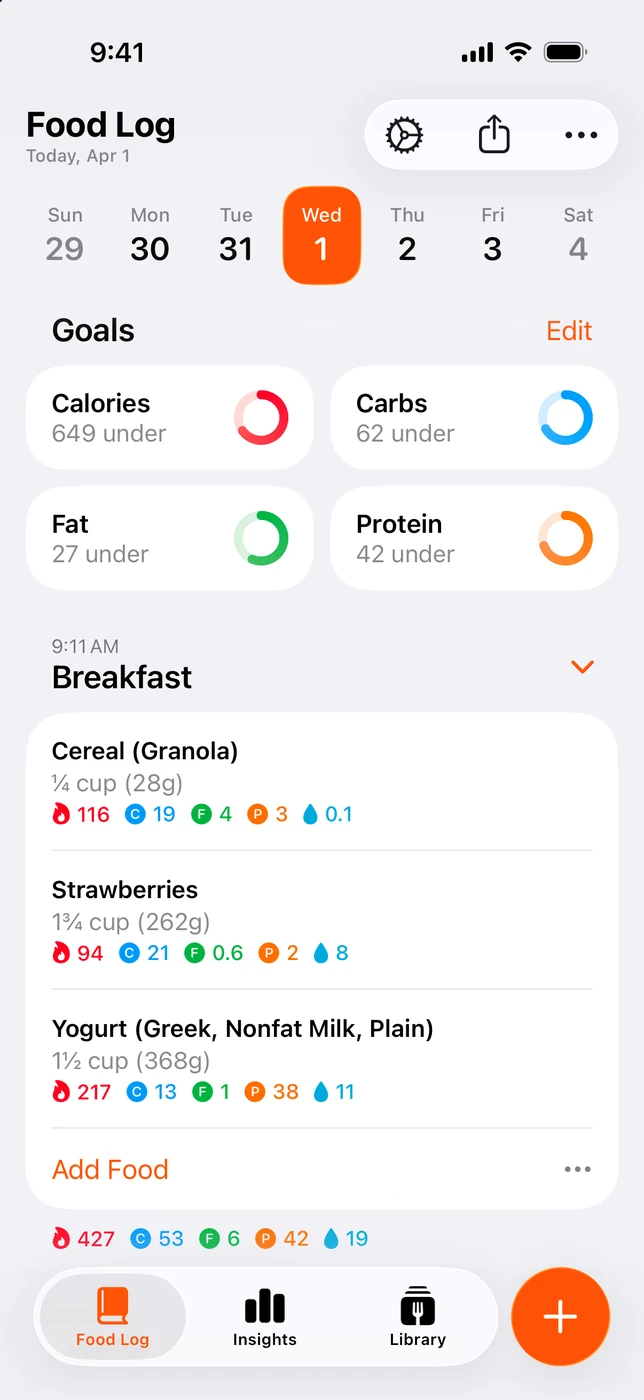
English UI. Developer-supplied iPhone images, not our test results. Official source. From the press kit; images belong to the developer. No endorsement implied.
Foodnoms explicitly lists iPhone, iPad, Mac and Apple Watch. Its description includes sync through Foodnoms Cloud or iCloud. That makes it worth considering if you want the same diary available while using different Apple devices. The availability claim does not tell us whether a particular action takes the same steps on every device. Supported devices and sync.
The free plan covers a useful routine: scan a packaged breakfast, log a recipe, check macro goals and export a CSV. Recipes and meals are free, while favorites are paid. That distinction matters when you see a Watch image or a shortcut demonstration: the favorite-based wrist workflow is not established as free.
Foodnoms+ also includes AI photo/text entry, Health import and Calibrated Energy. The last feature uses food logs and weight trend to calibrate your calorie goal. If goal adjustment is why you are comparing apps, read the current in-app explanation and check what data it requires. We have not tested how it responds over time. Free and Plus features.
Choose Cronometer for detailed tracking without starting with a subscription
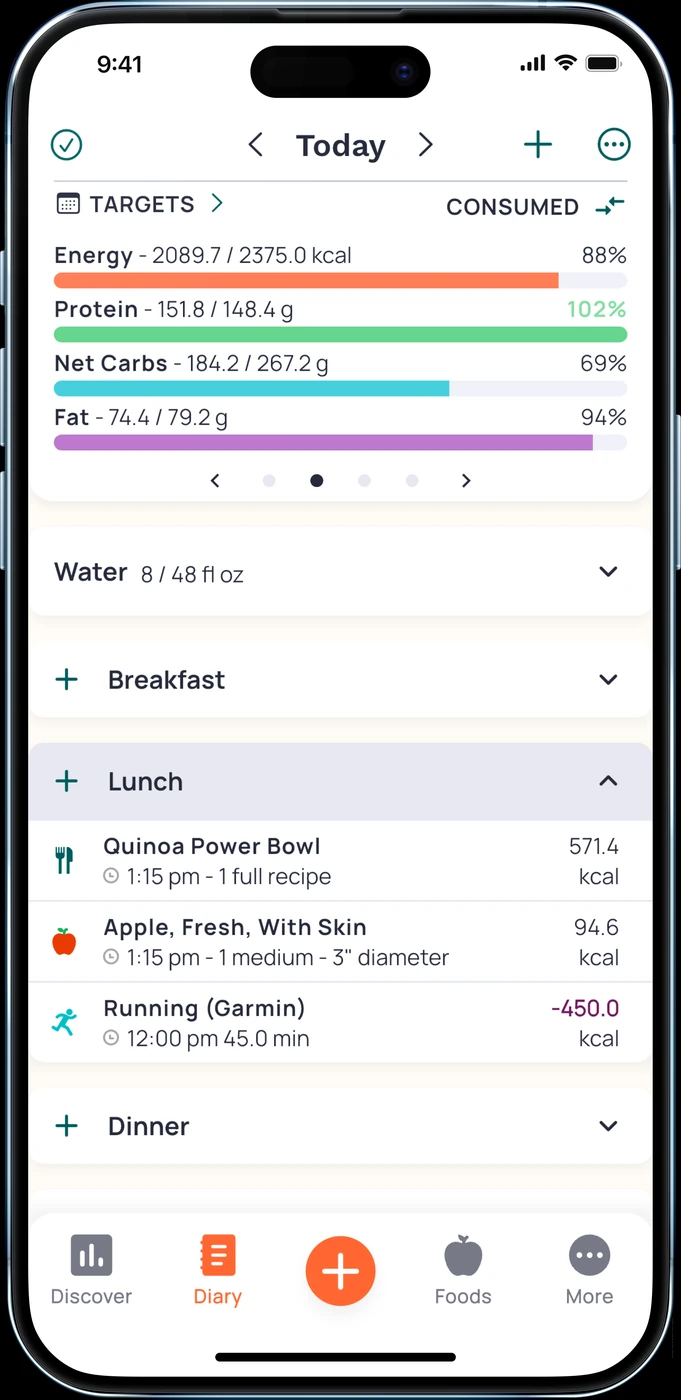
English UI. Developer-supplied iPhone images, not our test results. Official source. From the press kit; images belong to the developer. No endorsement implied.
Cronometer Basic can be used indefinitely. It includes access to nutrient data, custom foods and recipes, selected integrations and export of raw data. This is a good reason to start there if calories and protein are only part of what you want to record. Basic features.
Gold adds custom charts, recipe import, repeat items, Photo Log, Voice Log and Crono Coach. You can decide which of those tools you need after checking the free diary. A user who only searches foods has a different buying decision from someone who wants to import recipes and schedule recurring entries. Gold features.
Avoid treating the number of tracked nutrients as an accuracy ranking. A useful entry still needs the correct food and portion, and its nutrient fields may differ by source. We did not compare the databases with a controlled set of meals.
Health sync and Watch: inspect the exact action
Foodnoms distinguishes free Apple Health export from paid import. Do not treat those as interchangeable. If you want food recorded in Foodnoms to appear in Health, that is a different task from bringing nutrition records into Foodnoms. Plan boundaries.
Cronometer documents selected integrations, and its Watch help explains recent-food entry, energy and nutrient views. The free All Targets Score and Gold-only access to all nutrition scores also differ. Check your desired data type and action rather than assuming that every integration or wrist feature is included in Basic. Plans; Watch.
If you run both apps while deciding, inspect Health permissions and a small sample of entries. Multiple writers can complicate a food record. We did not verify a full history transfer between these apps.
What will you pay?
Foodnoms has a free core and optional Plus subscription. The developer directs you to the app for regional pricing. Multiple public monthly and annual purchase labels exist; we are not presenting the lowest one as your guaranteed offer. Foodnoms+.
Cronometer Basic is free. The Gold website lists $10.99/month or $59.99/year, billed annually, in US dollars. Check the price, renewal period and included features in your own storefront before subscribing. Gold pricing.
A short decision check
Enter a packaged food, a homemade recipe and a meal you repeat. Then check the nutrient view, edit a portion and try the device you expect to use daily. These are suggested checks for you; we did not perform them as a benchmark.
Which is better without paying?
Foodnoms is a strong fit for ad-free calorie and macro logging on Apple devices. Cronometer is a strong fit for detailed nutrient tracking in Basic. Check the required action rather than assuming every feature is included.
Is photo entry free in either app?
The current descriptions place Foodnoms AI under Plus and Cronometer Photo Log under Gold. A free download does not change that boundary.
Should I choose by the Watch app?
Only if the wrist task is central to your routine. Compare logging a favorite with adding a recent food, and check the relevant paid tier. Our Apple Watch tracker guide covers that buying question. For photo-based daily estimates, see 123 Cal.