
The choice in one table
Comparison table. Scroll horizontally to see every column.
| Decision | Foodnoms | MacrosFirst |
|---|---|---|
| Start without a subscription | Ad-free calories, macros, barcodes and custom recipes | Macro goals in grams, barcodes and meal macro totals |
| Plan repeat meals | Custom recipes and meals are free; recipe import and a custom meal schedule need Foodnoms+ | Premium schedules recurring foods and different meals by weekday |
| Send a log to a coach | Daily summary image or CSV food log; CSV excludes goals | Premium Google Sheets importer and Excel food-log export |
| Use AI to enter food | Foodnoms AI needs Foodnoms+ | Photo, voice and text AI entry needs Premium |
| Work across Apple devices | Native iPhone, iPad, Mac and Apple Watch apps | Watch app reports nutrition and provides Siri logging shortcuts |
The Foodnoms plan comparison and MacrosFirst Premium guide define the payment boundaries. The Watch row describes documented actions, not an exhaustive platform comparison.
MacrosFirst photo, voice and text entry are listed under Premium in its US App Store listing, rechecked 13 October 2026.
Foodnoms: keep a personal diary across Apple devices
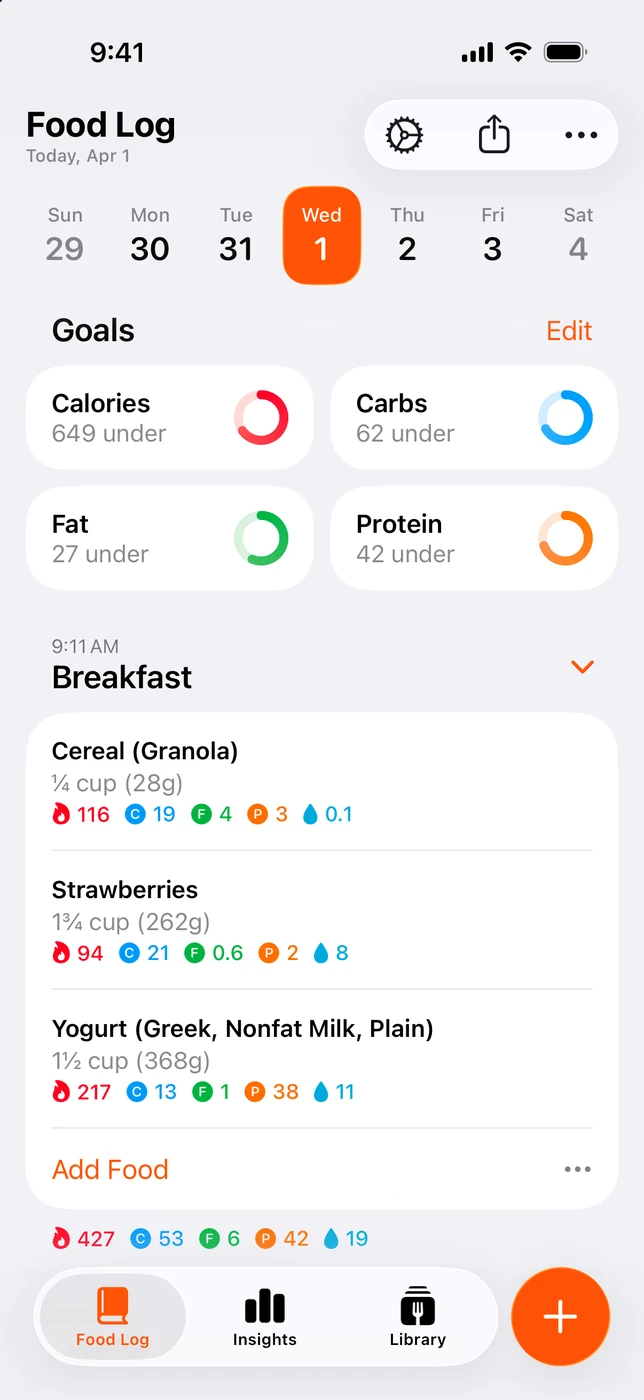
English UI. Developer-supplied iPhone images, not our test results. Official source. From the press kit; images belong to the developer. No endorsement implied.
Foodnoms makes sense when you want to log lunch on your phone and review the day on an iPad or Mac. Its website lists native apps for those devices and Apple Watch, with a choice of iCloud or Foodnoms Cloud for syncing. You can start without an account. These are useful reasons to stay if your saved foods and recipes already fit that routine. Foodnoms product details
The free plan covers calories and macros without ads. It includes barcode scanning and custom recipes and meals. Foodnoms+ adds more nutrient tracking, AI food entry and recipe import. Creating your own recipe and importing one from a website are separate features, so check which task is actually taking your time before subscribing. Free and Plus features
Foodnoms also offers manual macro targets. Its paid Advanced setting can calculate individual macros using percentages, grams or grams per body weight. You do not have to leave Foodnoms just because a coach gives you specific targets. The bigger question is how you will share the diary that goes with them. Macro goal settings
MacrosFirst: prepare meals and hand over useful records
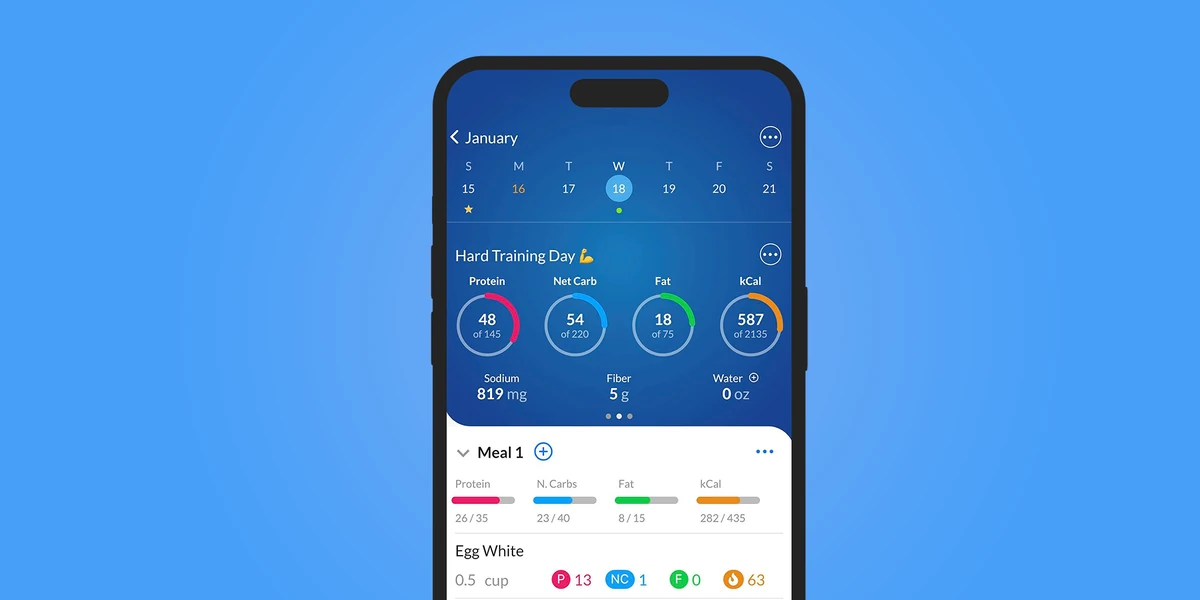
English UI. Developer-supplied iPhone images, not our test results. Official source. From the press kit; images belong to the developer. No endorsement implied.
MacrosFirst's free tier already lets you set daily macro goals in grams, scan barcodes and see totals by meal. Premium becomes more relevant when you repeat a schedule. You can put recurring foods into daily meals and use a different schedule for each weekday. Scheduled foods start as placeholders and count toward totals only after you log them, which matters if a planned breakfast changes. Premium features and meal scheduling
For a coach check-in, Premium includes a Google Sheets importer and an Excel download of the food log. MacrosFirst also lets people follow friends to view daily logs and nutrition reports: the free tier allows following up to 5 friends, while Premium removes that limit. Before paying, agree with your coach whether they want a spreadsheet or in-app viewing, and check which account needs access. A supported export or sharing feature still needs to fit their process. The same Premium guide documents these options.
On Apple Watch, MacrosFirst shows calories, macros and pinned nutrients. Its current help page also describes complications and Siri commands for logging food, water and weight. Food logging through AI Search belongs to Premium, so do not assume every voice shortcut is included in the free diary. Watch actions and AI Search access
Check the handoff before moving your diary
Foodnoms can share a day's summary as an image, including foods and progress toward goals. Its CSV export contains the food log but not the goals. The developer says there is no built-in way to give a trainer, dietitian or friend ongoing access to either. A weekly image may be sufficient for your coach; a need for recurring spreadsheet records points more strongly toward MacrosFirst Premium. Foodnoms sharing and export
Before switching, send a sample report from your current app and ask whether it contains what your coach needs. Then try recreating one saved meal and entering one day's targets in the other app. We have not verified that either app imports the other's recipes, goals or complete history. Keep the original records until you have checked the result.
If the problem is deciding who changes your targets, rather than sharing them, read our MacroFactor vs MacrosFirst comparison. That choice involves a different coaching workflow.
OUR RECOMMENDATION · OUR OWN APP
Our separate recommendation: 123 Cal for editable meal estimates
Open the App Store ↗


English UI. Developer-supplied iPhone images, not our test results. Official source.
123 Cal is our app. We recommend considering it if your main job is photographing a meal, correcting the estimate and keeping protein remaining visible on your iPhone or Apple Watch. The public listing describes portion notes and voice or text corrections before confirming a meal. It is a different reason to switch from spreadsheet reporting or a diary across several Apple devices. 123 Cal on the US App Store
The US and Ukrainian listings advertise the first 3 days free, followed by Pro for continued meal scanning. That is a trial, not an ongoing free scanning tier. Check the offer shown to your account before subscribing. Photo results remain estimates that need review, and we have not tested regional checkout eligibility. Ukrainian App Store listing
Questions before you subscribe
Can I use either app for free?
Yes. Both document ongoing free tracking features, including barcode scanning. Foodnoms AI requires Foodnoms+, while MacrosFirst's AI Search, recurring food schedules and spreadsheet tools require Premium. Match the paid feature to your routine instead of treating a free download as proof that everything is included.
Which is better for sharing with a coach?
MacrosFirst Premium is the closer fit for a Google Sheets or Excel process. Foodnoms may be enough if a daily summary image or CSV food log works for your coach. Foodnoms' CSV does not include goals, and an exported file is different from ongoing access to your diary.
Should I switch if my current diary works?
Stay if your current reports, saved meals and target settings already cover what you do. Test the missing task in the other app before cancelling a subscription. Switching is worthwhile when it fixes that task without making your ordinary meals harder to record.
Sources and scope
Primary sources: Foodnoms product, Foodnoms free and Plus plans, Foodnoms sharing, Foodnoms macro goals, MacrosFirst Premium, MacrosFirst Watch help, and the US and Ukrainian 123 Cal listings. Features and offers can change. No comparative accuracy, speed or weight-loss result was measured.