
Compare the decision, not just the feature name
Comparison table. Scroll horizontally to see every column.
| Decision | MacroFactor | Foodnoms |
|---|---|---|
| Ongoing free diary | No; the product page advertises a 7-day trial | Free calories, macros, barcodes and custom recipes |
| Adjust the plan | Weekly adjustments; Coached, Collaborative and Manual modes | Foodnoms+ Calibrated Energy: review and apply an estimate to update the automatic calorie goal |
| Inputs for expenditure | Food intake and weight trends are core inputs | Food logs and weigh-ins, normally using the most recent 28 days |
| Start calibration | Check current onboarding and data guidance | At least 14 logged days in 28, weigh-ins across a week and a recent weigh-in |
| Use AI food entry | Included in the paid product | Foodnoms AI needs Foodnoms+ |
| Choose devices | App Store and Google Play versions | Native iPhone, iPad, Mac and Apple Watch apps |
See the MacroFactor product page, Foodnoms plan table and Calibrated Energy documentation. These are published requirements and features, not evidence that one estimate is more accurate.
MacroFactor: make weekly coaching part of your routine
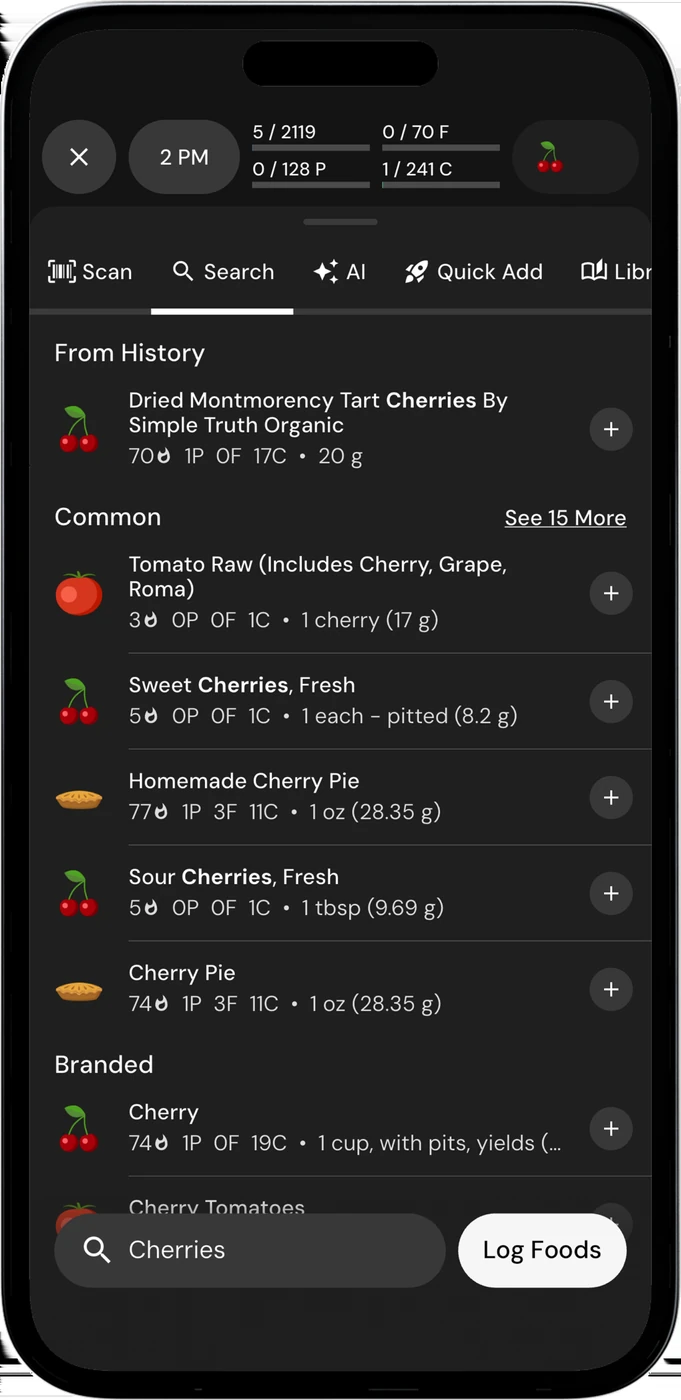
English UI. Developer-supplied iPhone images, not our test results. Official source. From the press kit; images belong to the developer. No endorsement implied.
MacroFactor combines food entry with a macro program. Its documented modes are Coached, Collaborative and Manual, so paying for the app does not mean surrendering every target choice. Its weekly adjustments are the main reason to consider it when you want a plan that responds to the food and weight data you record. MacroFactor features and modes
The food logger includes photos, barcode and nutrition-label scanning, custom recipes and recipe import from a URL. Those tools matter because the expenditure estimate still depends on usable records. A camera shortcut cannot establish what you ate if meals are missing or portions go uncorrected.
MacroFactor's product FAQ warns about partial nutrition tracking, such as entering breakfast and lunch but leaving dinner out. That can make recorded intake misleading. If you often abandon the diary halfway through a day, consider whether you can change that habit before buying adaptive coaching. We have not measured how either product handles your particular logging errors. The product FAQ explains its inputs and limits.
The same page lists $11.99 monthly, $47.99 every 6 months and $71.99 yearly, with a 7-day trial and no ongoing free version. These are public dollar-denominated offers checked on the source date, not a verified price or trial entitlement for a US or Ukrainian account. Review the billed period and renewal terms shown during signup.
Foodnoms: inspect the estimate before applying it
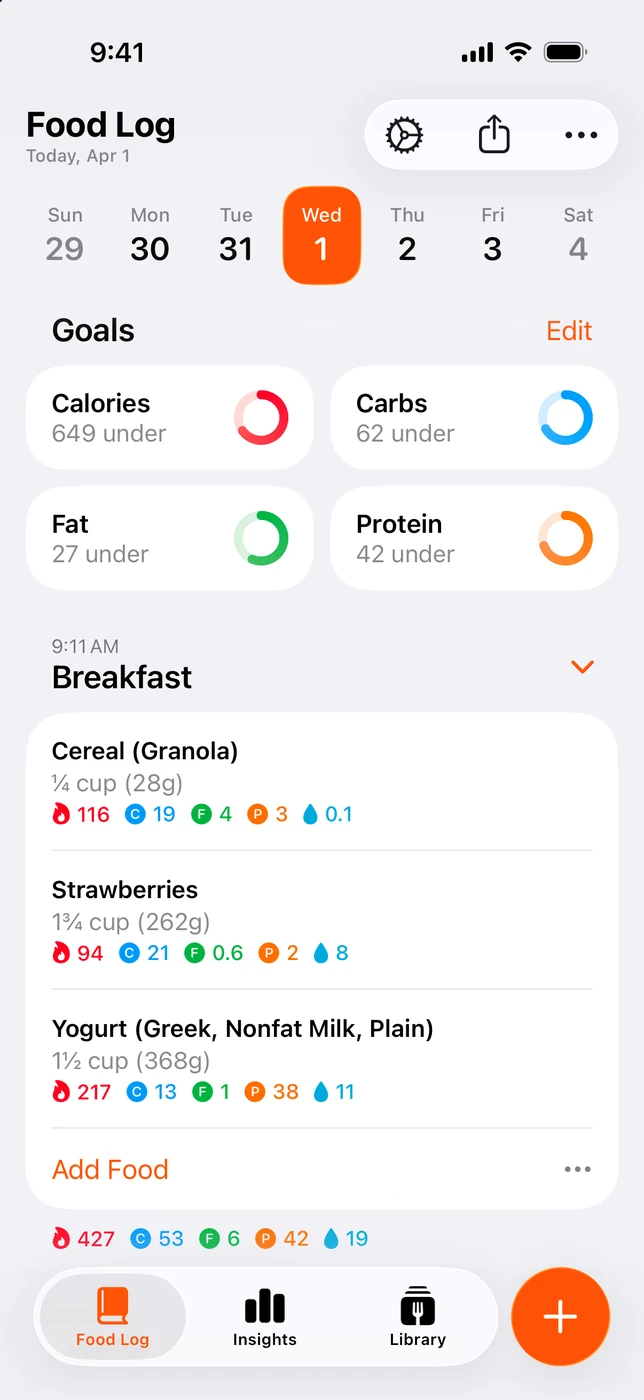
English UI. Developer-supplied iPhone images, not our test results. Official source. From the press kit; images belong to the developer. No endorsement implied.
Foodnoms' free diary already covers calories, macros, barcodes and custom recipes without ads. Foodnoms+ adds Calibrated Energy as well as AI entry and other paid features. The plan page directs you to the app for regional prices, so this comparison does not declare Foodnoms cheaper. Free and Plus plans
Calibrated Energy estimates daily expenditure from food logs and weigh-ins, normally over the latest 28 days. The first calibration needs meals logged on at least 14 of those days, weigh-ins spanning at least a week and a recent weigh-in. After the first calibration, a new one opens every 7 days. That makes the feature relevant to someone willing to maintain records over time, rather than someone wanting a new target immediately after one meal. Calibrated Energy requirements
You review the estimate and supporting data, then choose whether to apply it. The developer says nothing changes on its own. Applying a calibration updates expenditure from that day forward and keeps the automatic calorie goal in sync; past days retain their earlier values. Between calibrations, the estimate stays steady instead of moving with daily Apple Health activity readings. The documented calculation already includes activity averaged across the data period.
Foodnoms also has manual macro targets and a paid Advanced mode with separate percentage, gram or body-weight calculations. Macro targets tied to the calorie goal recalculate when that goal changes. Calibrating expenditure and deciding how to divide macros are related choices, but they are not the same setting. Foodnoms macro goals
Which routine can you keep doing?
Stay with MacroFactor if its existing weekly check-in and saved foods work for you. A move to Foodnoms is more compelling if using the diary on an iPad or Mac, or keeping basic tracking free, would solve an everyday problem. Foodnoms lists native apps across those Apple devices; MacroFactor advertises App Store and Google Play versions. Check your actual devices before switching. Foodnoms devices and MacroFactor downloads
Stay with Foodnoms if you already like its diary and want to try an inspectable expenditure estimate. You no longer need to assume that adaptive estimates require another app. MacroFactor is worth considering when you specifically want its weekly macro-program workflow. Neither feature name tells us which will be more useful to you over several months.
Before moving, compare one ordinary day's food entries and one saved recipe in both apps. Keep access to the old records while checking what transfers. We have not verified a complete Foodnoms-to-MacroFactor or reverse migration. If your real need is giving a coach useful records, our Foodnoms vs MacrosFirst guide focuses on that decision.

OUR RECOMMENDATION · OUR OWN APP
Our separate recommendation: 123 Cal for reviewing meals
Open the App Store ↗


English UI. Developer-supplied iPhone images, not our test results. Official source.
123 Cal is our app. We recommend considering it when your priority is estimating a photographed meal, correcting the portion or ingredients and seeing protein remaining on your iPhone or Apple Watch. Its public listing documents portion notes and voice or text corrections before confirmation. We are not presenting it as an equivalent to either expenditure-calibration workflow. 123 Cal on the US App Store
The US and Ukrainian listings advertise the first 3 days free, followed by Pro for continued scanning. Check the offer for your account; this is not an ongoing free scanning tier or a verified checkout entitlement. Photo estimates need review, and no app here guarantees a weight-loss result. Ukrainian App Store listing
Questions about adaptive targets
Does Foodnoms adjust calorie targets now?
Foodnoms+ documents Calibrated Energy. You review and apply an expenditure estimate, which updates the automatic calorie goal from that day onward. This is different from a claim that the app silently changes the plan: its help page explicitly says nothing changes on its own.
Does a Watch calorie number decide the Foodnoms estimate?
The Calibrated Energy help page says the estimate stays steady between calibrations and does not move with daily Apple Health activity readings. Its food-and-weight data already reflects activity averaged across the period. That statement describes Calibrated Energy, not every possible Foodnoms goal setting.
Which algorithm is more accurate?
We have no controlled comparison that establishes a winner. Foodnoms warns that changed logging habits, illness, travel and wrong weigh-ins can distort its estimate. MacroFactor warns about partial food logging. Check the underlying records before treating a changed target as proof that your metabolism changed.
Sources and scope
Primary sources: MacroFactor product and FAQ, Foodnoms product, Foodnoms plans, Calibrated Energy, Foodnoms macro goals, and the US and Ukrainian 123 Cal listings. Expenditure estimates are for general tracking. Seek qualified advice for medical nutrition decisions.