
What you get before paying
Comparison table. Scroll horizontally to see every column.
| Decision | MyNetDiary | Cronometer |
|---|---|---|
| Ongoing free diary | Barcode, macros and detailed nutrients; no ads | Basic includes unlimited barcode use and nutrient detail; Gold is the ad-free upgrade |
| Meals you cook repeatedly | Check the recipe workflow you need before choosing a tier; Premium advertises a web recipe importer | Basic includes manually created custom meals and recipes; Gold adds a URL recipe importer |
| Looking back at nutrition | Paid plans add advanced reports | Basic has a 7-day nutrition outlook and two basic charts; Gold adds longer reporting and custom charts |
| Paying for convenience | Premium adds planning tools; Premium Plus adds the AI toolkit | Gold adds photo and voice logging, recipe import and scheduling tools |
Sources: MyNetDiary free access, its Premium tools, Premium Plus, Cronometer Basic and Gold. A reporting window is not a claim that older diary entries are deleted. Regional prices, trial eligibility and renewal terms need checking in the offer shown to you.
MyNetDiary: an ad-free diary without a scanner subscription
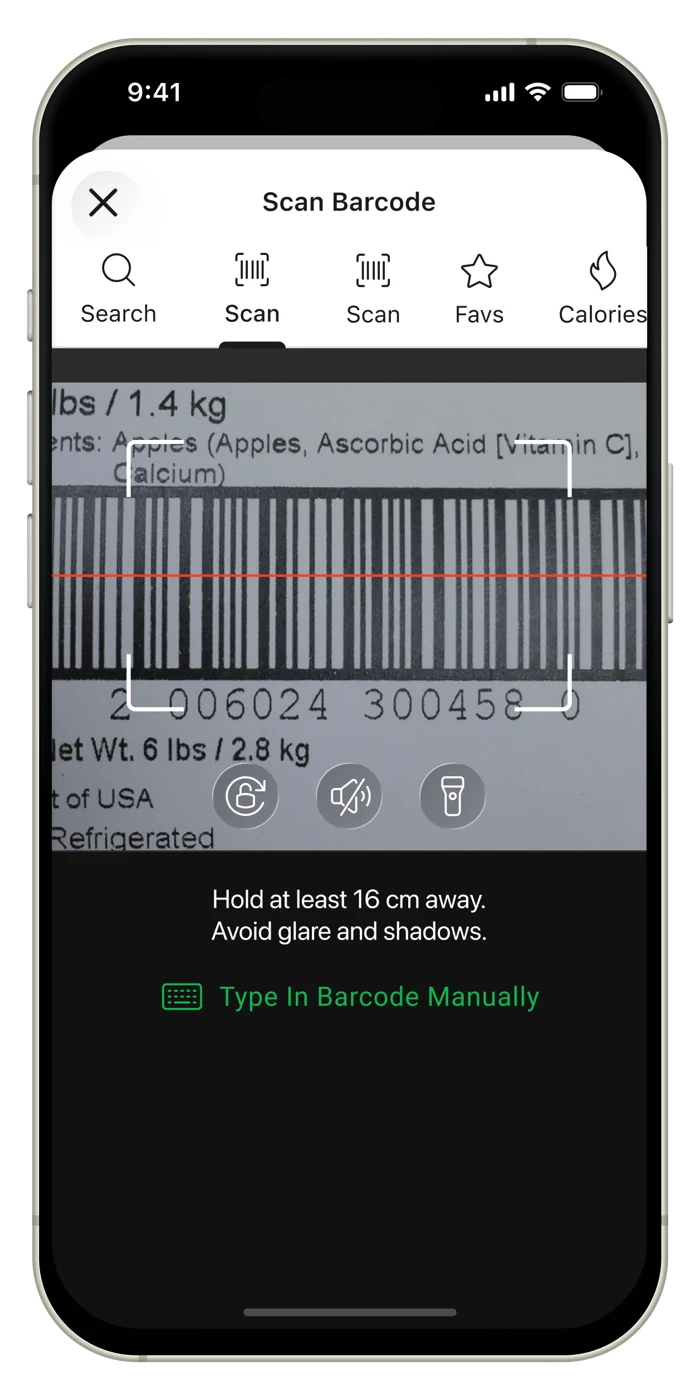
Image courtesy of MyNetDiary press kit. English UI; exact build unspecified. Not our testing or a developer endorsement. Official source.
The strongest reason to start with MyNetDiary is that its free routine already includes barcode scanning, macros and nutrient information without advertising. If breakfast usually starts with a cereal box or yogurt pot, you can evaluate that routine before deciding whether any paid tools matter. The developer's feature description explicitly includes vitamins and minerals, so choosing it does not mean settling for calorie totals alone.
Check a few foods you actually buy. Compare the result with the package name, serving size and label. Then enter an ordinary home-cooked meal. A large published database is less useful to your routine if the foods you repeat need frequent corrections. We have not measured either app's US or Ukrainian barcode coverage.
MyNetDiary Premium adds customizable macro targets, diet plans, recipes and Autopilot adjustments. Premium Plus adds tools such as AI voice logging and an AI Coach. The paid-tier explanation separates these from the free diary. PlateAI is a separate app from the same team; this comparison concerns MyNetDiary itself.
If the free diary already does the job, stay there. If changing targets is the feature you are shopping for, our MacroFactor vs MyNetDiary comparison examines that decision separately.
Cronometer: start free, then price the reporting tools you need
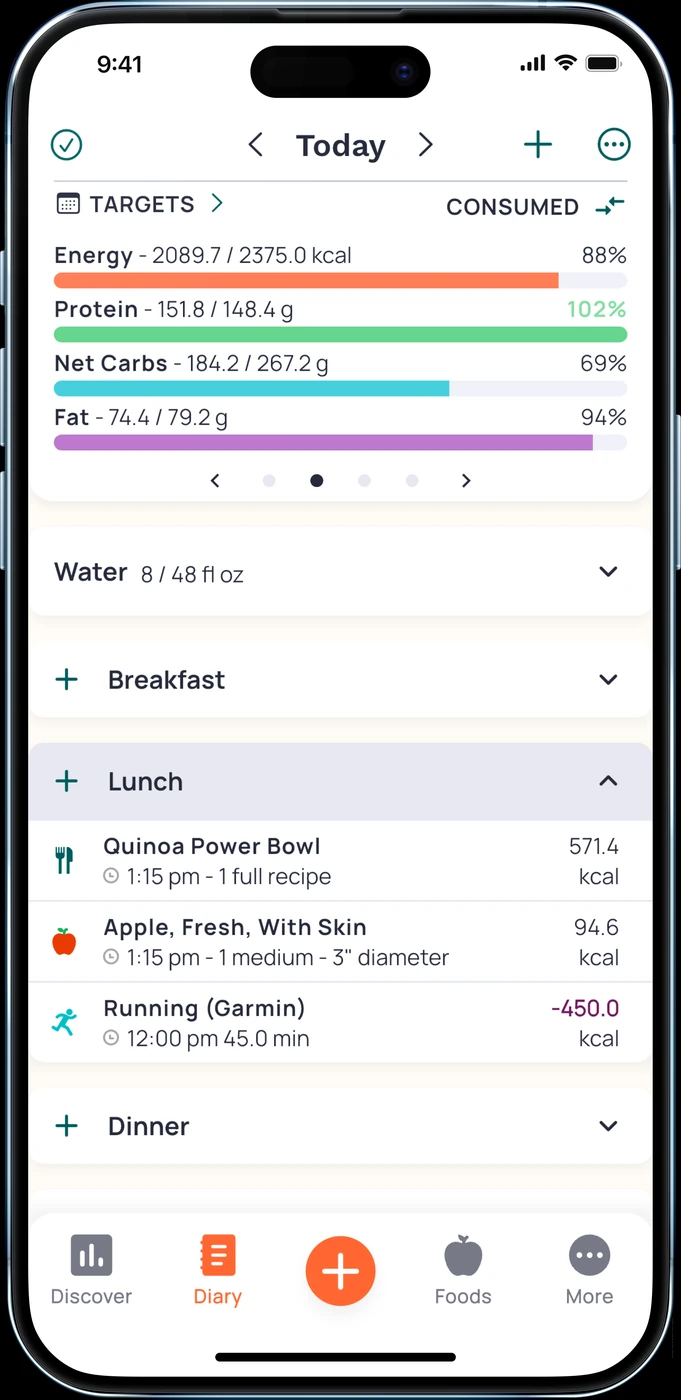
English UI. Developer-supplied iPhone images, not our test results. Official source. From the press kit; images belong to the developer. No endorsement implied.
Cronometer Basic includes nutrient tracking, custom meals and recipes, and an unlimited barcode scanner. Its Basic page says you can keep using the free account without being forced to upgrade. That makes it a reasonable starting point when you cook recurring dishes and want to inspect their nutrient breakdown.
Creating your own recipe and importing a recipe from a website are different jobs. Basic documents manual custom recipes. Gold adds a recipe URL importer, plus repeat items and a macro scheduler. If your recipes already live on websites, that paid shortcut may matter more than another dashboard chart.
Gold also removes ads and adds longer-range reporting and custom charts. Basic's 7-day nutrition outlook may be enough for a short review of recent meals; someone comparing longer periods should inspect Gold. Decide which question you want a report to answer before paying for more charts. A food diary can help you discuss an intake pattern with a professional, but it cannot diagnose a nutrient deficiency.
Keeping Cronometer makes sense when your saved recipes and current reports already support your routine. Switching to obtain free barcode scanning would add little, because Basic already includes it. For a broader shortlist, see alternatives to Cronometer.
OUR RECOMMENDATION · OUR OWN APP
123 Cal: our option when entering the meal is the real obstacle
Open the App Store ↗


English UI. Developer-supplied iPhone images, not our test results. Official source.
If searching for ingredients is what makes you leave meals unrecorded, our recommendation is 123 Cal, our iPhone app. Its listing describes photographing a meal, adding portion or preparation details, editing the estimate and then confirming it. Calories and protein remaining are available on iPhone and Apple Watch. See the US listing and Ukrainian listing.
This is a different purchase from a free nutrient diary. Both listings advertise the first 3 days free and require Pro for continued meal scanning. Choose MyNetDiary or Cronometer Basic if ongoing free access is your main requirement. Consider 123 Cal when an editable photo estimate and a visible protein target are the change you want, with the subscription terms checked first.
A photo does not reveal every ingredient or the amount of cooking oil. Review the assumptions and portion before saving. We have not measured comparative accuracy against either app.
Try the same meals before moving your history
Use familiar foods for the comparison: one packaged breakfast, one home-cooked dish and one meal you often repeat. Check whether you can find the right food, correct its quantity and record it again without rebuilding it. These are suggested checks for your trial, not results from our own testing.
Keep access to your old diary while you try the replacement. We have not verified a full transfer of recipes or history between MyNetDiary and Cronometer. Write down any targets you want to retain and inspect what an export actually contains before relying on it.
If you decide to leave a paid plan, cancel through the company that bills you. Apple's subscription instructions apply to Apple-billed subscriptions. Downloading another tracker does not cancel the old one.
Questions that settle the choice
Which is better if I want free barcode scanning?
Both document it in their ongoing free tier. MyNetDiary's free diary is ad-free; Cronometer's ad-free upgrade is Gold. Try your usual products and compare the entry routine before choosing.
Do I need Cronometer to track vitamins and minerals?
Both apps document nutrient detail in free access. A maximum nutrient count does not prove that every branded food contains every field. Inspect the records you use instead of treating the number of available fields as an accuracy score.
Which paid plan should I compare?
Compare the feature that prompted you to pay. Cronometer Gold combines its reporting and logging upgrades. MyNetDiary separates Premium planning tools from the additional Premium Plus AI toolkit. Check the current offer and its renewal period rather than assuming similarly named plans contain the same features.