Compare the change you need
Comparison table. Scroll horizontally to see every column.
| Choice | Reason to consider it | Free-versus-paid boundary | What you should keep in mind |
|---|---|---|---|
| 123 Cal, our app | Meal photos with corrections and protein remaining | First 3 days advertised free; Pro for continued scans [1][2] | This changes your entry routine; it is not a free-scanner saving |
| MacroFactor | Weekly adjustments based on intake and weight trends | Trial followed by a paid subscription; no ongoing free version [5] | Incomplete food records can undermine the inputs to target updates |
| Cronometer | A detailed free diary and raw-data export | Basic remains free; Gold adds ad removal, recipe importing and other tools [6][7] | Exporting data is different from having a coach's preferred spreadsheet filled automatically |
| Keep MacrosFirst | Gram targets, barcode scanning and meal-level macro totals | Those basics are free; AI Search, recurring foods and export tools are Premium [3] | You may only need one paid feature, not a new diary |
We have not compared account-specific renewal quotes. Check the full billed period in the current offer and whether the desired task is actually included. Changing apps to avoid one subscription can replace it with another.
OUR RECOMMENDATION · OUR OWN APP
 1. 123 Cal: our recommendation for changing the meal-entry habit
Open the App Store ↗


English UI. Developer-supplied iPhone images, not our test results. Official source.
Try 123 Cal if you are abandoning entries because the process of building each meal feels too involved. Its listing describes photographing a meal, adding portion or cooking notes, then reviewing and correcting the estimate before confirming it. Barcode and nutrition-label scanning are also documented. MacrosFirst Premium also documents photo, voice and text AI entry in its US listing, rechecked on 13 October 2026. Compare the correction process before moving; photo entry alone is not a reason to switch. A photo still cannot establish every ingredient or portion weight. [1][2]
The listing's Watch workflow includes calories and protein remaining, a dictated meal description and repeat entry of a recent meal. MacrosFirst also documents a Watch app showing today's calories, macros and pinned nutrients, plus watch-face complications and Siri commands for logging food, water and weight. Its Premium page lists Siri food logging under AI Search. Watch availability alone is therefore not a reason to leave it. [1][3][4]
Access: 123 Cal's US and Ukrainian listings advertise a 3-day trial and require Pro to keep scanning afterward. Their public purchase labels differ by storefront. Check your own price, billing period and trial eligibility before confirming. We are not recommending 123 Cal as an ongoing free replacement for MacrosFirst's free barcode scanner. [1][2][3]
Keep MacrosFirst instead if your coach gives you gram targets and you are already comfortable entering those targets and reading totals by meal. MacrosFirst explicitly lists those functions in its free tier. [3]
2. MacroFactor: when you want help revising targets
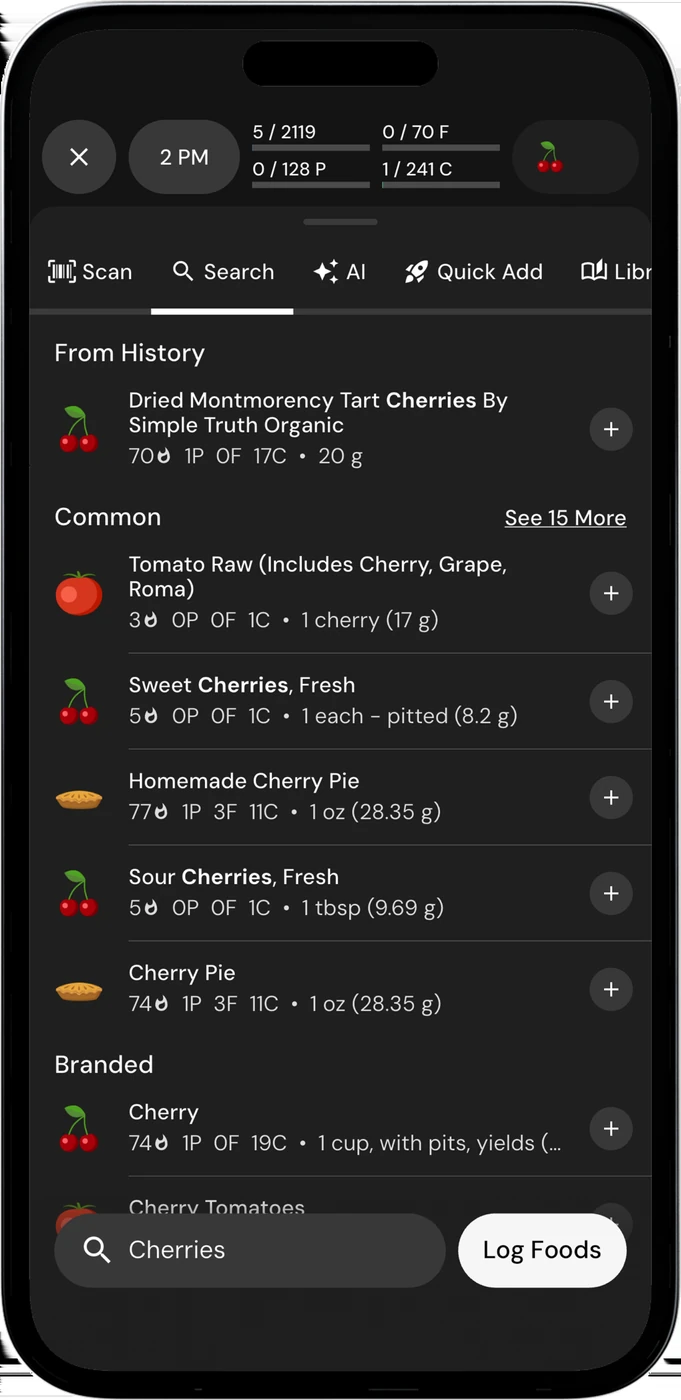
English UI. Developer-supplied iPhone images, not our test results. Official source. From the press kit; images belong to the developer. No endorsement implied.
MacrosFirst's documented free gram targets are useful when you already know the numbers you want to follow. MacroFactor's nutrition app offers a different workflow: estimate energy expenditure from logged intake and changes in weight, then adjust the calorie and macro plan each week. Manual and collaborative modes are also documented. [3][5]
This is a practical choice between keeping control of the target yourself and using an app's adaptive process. If you follow a plan set by your coach, agree on which target source takes priority before switching. Two competing sets of numbers can make a diary harder to use even when both apps work as intended.
MacroFactor has food search, barcode and label scanning, AI photo logging and recipe tools. It should not be described as a coaching app that lacks modern entry methods. Its own explanation also warns that partially logged days can distort the intake record used for expenditure estimates. Decide whether you are willing to log sufficiently complete days and record weight regularly. [5]
Cost boundary: MacroFactor advertises a 7-day trial and says it has no free version. Check the offer for its nutrition app. This is a paid change of target-setting routine, not a guaranteed way to spend less. [5]
For the detailed named-pair decision, see MacroFactor vs MacrosFirst.
 3. Cronometer: when the free diary and export matter most
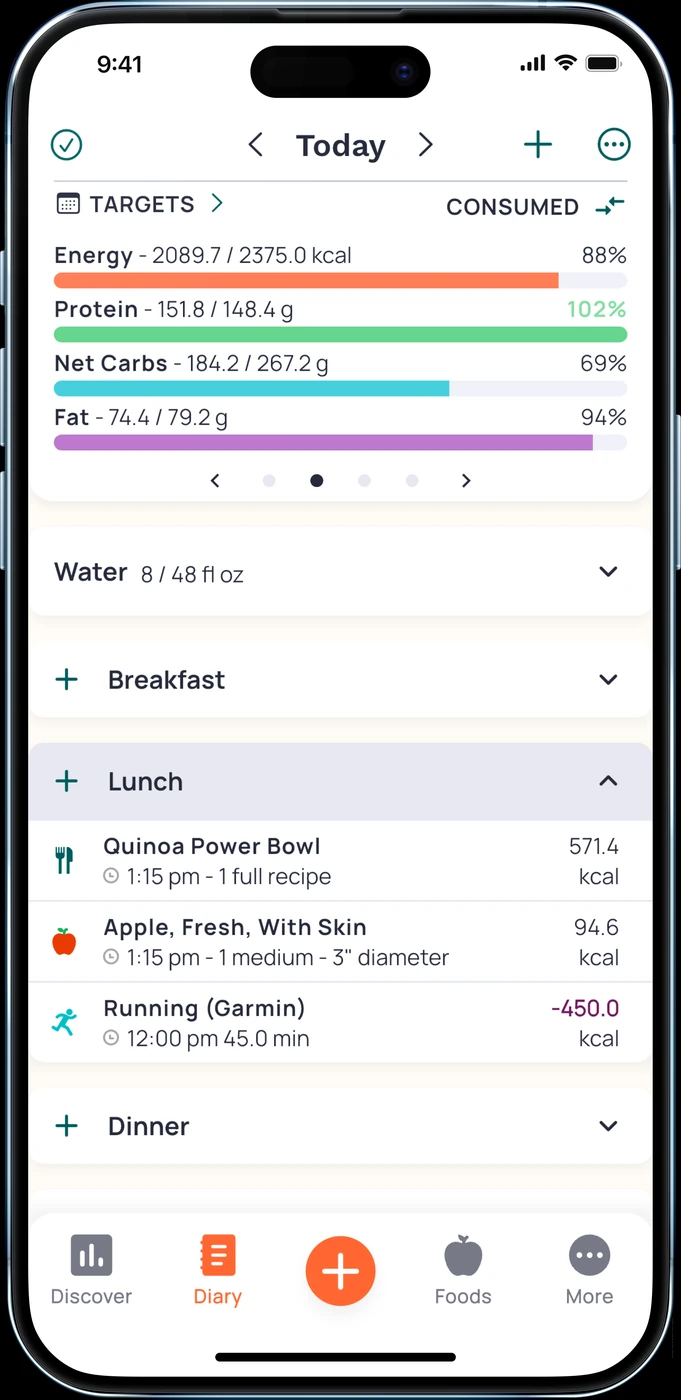
English UI. Developer-supplied iPhone images, not our test results. Official source. From the press kit; images belong to the developer. No endorsement implied.
Features and access
Cronometer Basic can be used indefinitely without a subscription. Its documentation includes custom foods and recipes, selected integrations, limited analysis and export of raw data. The product page advertises detailed nutrient tracking and free barcode scanning. Gold removes ads and adds tools such as recipe importing and longer-term charts. [6][7]
That may suit someone who wants to inspect their records in another tool without paying for an export feature. MacrosFirst places Excel food-log download and its Google Sheets importer under Premium. Those are not identical to Cronometer's raw-data export: a downloadable file does not prove an automatic connection to the spreadsheet your coach uses. [3][6]
What MacrosFirst already offers
Do not switch on the assumption that MacrosFirst only tracks protein, carbs and fat. Its current Premium page discusses micronutrient targets, nutrient reports and other nutrient features. Compare the specific report you need and its access tier. A broad claim that Cronometer is the only option with nutrient detail would be wrong. [3]
Keep MacrosFirst if the saved foods, meal structure or spreadsheet arrangement already save you work. For a closer look at the two products, use our Cronometer vs MacrosFirst comparison.
What you would leave behind in MacrosFirst
The free tier documents daily macro goals in grams, macro totals by meal, barcode scanning and alcohol-calorie conversion. These are real reasons to stay when your main job is following known targets. [3]
Premium adds a particular kind of convenience. AI Search accepts voice or text. Recurring foods can appear in Daily Meals as scheduled placeholders; the documentation says they do not count toward totals until logged. Recipe importing, different meal schedules by weekday, food-log download and the Google Sheets importer are also listed as Premium. [3]
If your routine is built around planned meals, investigate that behavior in a replacement before moving. A favorites list, a saved recipe and an automatically scheduled placeholder are different features. We have not verified that any candidate reproduces your MacrosFirst schedule or imports it unchanged.
A native Apple Watch app is already documented for MacrosFirst. It shows today's calories, macros and pinned nutrients; complications display nutrients on the watch face. Siri commands cover food, water and weight, with Siri food logging listed under Premium AI Search. Do not rebuild a diary merely because another app advertises a Watch companion. Compare the action you actually use on your wrist and its access tier. [3][4]
A low-risk way to choose
- Choose one reason to switch: target revision, meal entry, a particular nutrient report or export. Use that as the acceptance check for your trial.
- Rebuild a typical meal and a repeat meal in the candidate. Check servings and editing. If you use scheduled foods, confirm when an entry starts counting toward the day.
- Compare the tools your coach needs. Open an exported sample and confirm its columns before treating an export button as a working reporting setup.
- Check Apple Health read/write permissions if both diaries remain installed. Keep original records until you have verified the replacement; no full migration was tested here.
- Review the old subscription separately. Apple's instructions cover Apple-billed cancellations in account settings. If another provider bills you, check that provider's process. Installing a new tracker does not cancel an old plan. [8]
These are suggested checks for your own routine. We did not run a timed experiment and cannot promise that the change will make tracking faster for you.
Questions before you switch
Do I need an alternative for free barcode scanning?
MacrosFirst already documents free barcode scanning. If that is the only requirement, keeping it avoids rebuilding your diary. Cronometer also advertises a free scanner. 123 Cal's trial should not be presented as the same kind of ongoing free access. [1][3][7]
Which option changes my targets automatically?
MacroFactor documents weekly adaptive changes using intake and weight records. That is the target-setting option in this shortlist. Check its inputs and modes before using it alongside a coach's plan. We are not claiming that MacrosFirst has no goal-setting tools. [5]
Can I move my coach's spreadsheet workflow for free?
Not from the evidence here. Cronometer Basic includes raw-data export, while MacrosFirst lists its Google Sheets importer under Premium. Check the required file format or integration with your coach. The existence of either feature does not establish a complete compatible transfer. [3][6]
Sources
[1] 123 Cal, US App Store listing
[2] 123 Cal, Ukrainian App Store listing
[3] MacrosFirst: free tier and Premium features
[4] MacrosFirst Apple Watch app
[6] Cronometer subscription types
[8] Apple: cancel a subscription
Sources for the specific corrections dated 13 October 2026: macrosfirst. Earlier price observations retain their original dates.