
The purchase you are comparing
Comparison table. Scroll horizontally to see every column.
| Decision | MacroFactor | MyNetDiary |
|---|---|---|
| Starting access | Advertised 7-day trial, then paid; no ongoing free version | Ongoing free diary with barcode scanning, macros and nutrient detail, without ads |
| Changing targets | Weekly adjustments; Coached, Collaborative and Manual modes | Premium's Advanced Autopilot updates calorie and macro targets as its expenditure estimate changes |
| Food entry | Database, barcode and label scanning, photo or description, recipes and URL import | Free barcode and diary; paid AI tools. Meal Scan tier conflicts across official sources: Premium on the US listing, Premium Plus on the homepage. |
| Reason to stay | You use the weekly review and already have useful logging history | Your saved diary works, and the required planning tool may already be available as an upgrade |
Sources: MacroFactor, MyNetDiary and MyNetDiary's paid-tier explanation. Trial offers and renewal prices can vary by account and market; compare the actual billed period before subscribing. A free download is not an ongoing free MacroFactor plan.
MacroFactor: a reason to pay when weekly adjustments matter
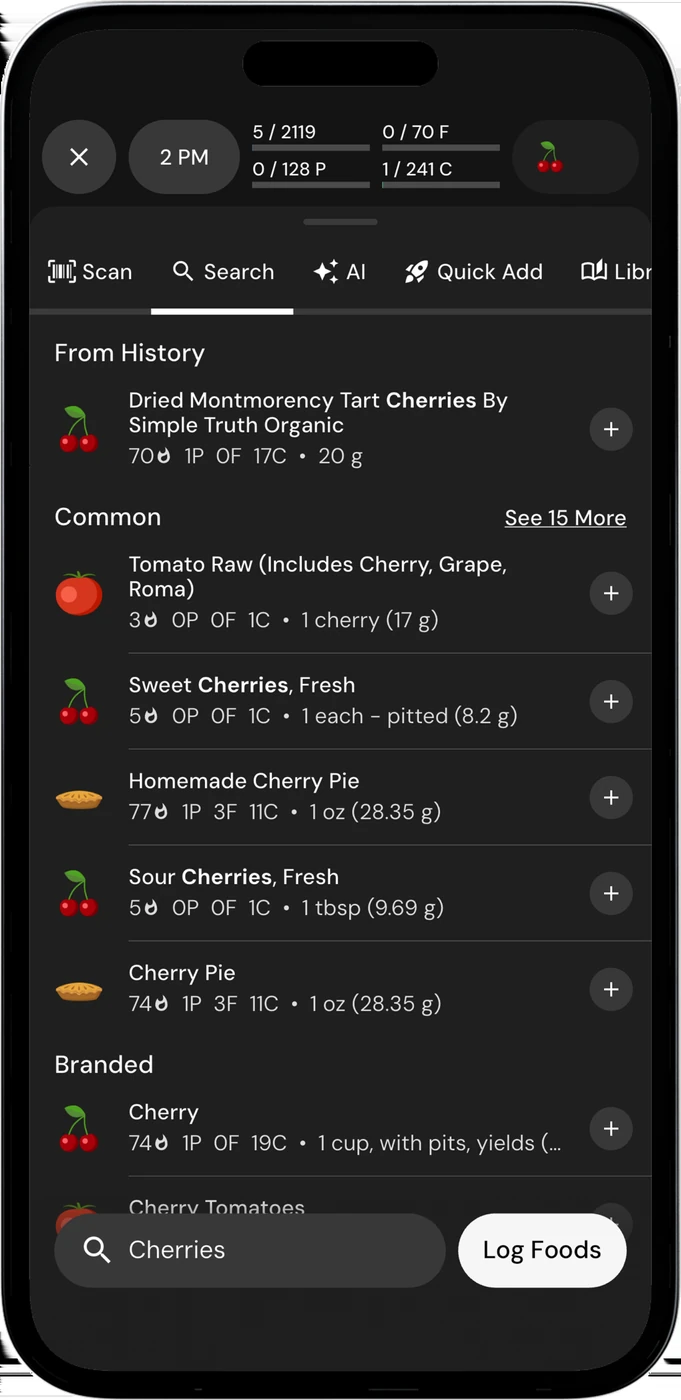
English UI. Developer-supplied iPhone images, not our test results. Official source. From the press kit; images belong to the developer. No endorsement implied.
MacroFactor's documented workflow combines food intake, weight trends, an expenditure estimate and changes to calorie and macro targets. Its product page lists Coached, Collaborative and Manual modes, plus weekly adjustments. You have a reason to try it if reviewing and changing targets is the job you want the tracker to help with.
Picture your weekly review: you have logged your food and weight, and want to understand the proposed change before using it. During the trial, inspect the trend and recommendation screens, the available modes and how you would keep a target unchanged. This is a proposed evaluation, not an account of our own app use.
Logging quality remains part of that workflow. MacroFactor's expenditure explanation warns that partial food logging can distort the estimate and future recommendations. An unfinished day is not a reliable record of what you ate. Choose a logging method you can maintain, whether that is search, barcode entry, a recipe or an editable photo estimate.
The same product page describes photo and text-based food entry, barcode and nutrition-label scanning, and recipe URL import. You do not need to leave MacroFactor merely because another tracker advertises AI logging. The question is whether another routine solves a problem you actually have.
MyNetDiary: check Autopilot before replacing a working diary
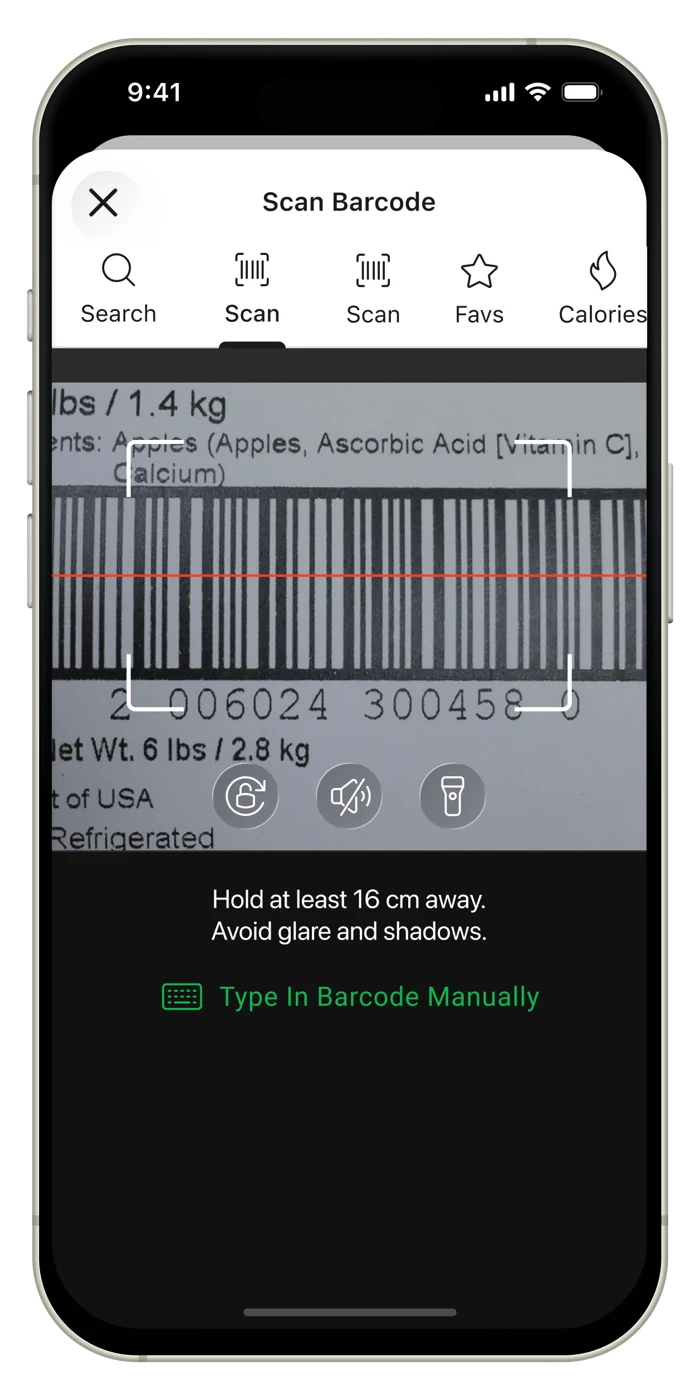
Image courtesy of MyNetDiary press kit. English UI; exact build unspecified. Not our testing or a developer endorsement. Official source.
MyNetDiary's current site describes Advanced Autopilot as a Premium feature. It estimates expenditure from logged food, logged exercise and Trending Weight, then updates calorie and macro targets as the estimate changes. That is a meaningful option for someone who already likes MyNetDiary and wants help adjusting a plan.
This does not establish that its algorithm and MacroFactor's perform identically. We have no comparative measurements. Instead, inspect how each app explains a target change, which inputs it asks for and how much control you have over the resulting plan. If you understand and use the existing MyNetDiary workflow, an upgrade may be less disruptive than moving your routine.
Separate the paid tiers before comparing costs. MyNetDiary's Premium Plus explanation places customizable macro targets, Autopilot, specialized diet plans and recipes in Premium. Premium Plus adds AI tools, including voice logging, an AI Coach and restaurant-menu scanning. Paying for target adjustment and paying for the extra AI tools are separate decisions.
You can also stay with the free diary if you want to record food without buying adaptive planning. It includes barcode scanning, macro and nutrient detail, with no ads. If free diary features are your main concern, MyNetDiary vs Cronometer is the more relevant comparison.
OUR RECOMMENDATION · OUR OWN APP
123 Cal: our recommendation for meal entry and protein remaining
Open the App Store ↗


English UI. Developer-supplied iPhone images, not our test results. Official source.
Choose 123 Cal, our iPhone app, if your immediate problem is entering a meal and seeing what remains of your calorie and protein targets. Its listing describes a meal photo with portion or preparation notes, an editable result and confirmation before the meal is saved. It also describes checking calories and protein remaining on Apple Watch. See the US App Store listing and Ukrainian listing.
We recommend it for that photo-and-protein routine, not as evidence that it reproduces either competitor's adaptive programme. Both listings advertise the first 3 days free, followed by Pro for continued meal scanning. If your priority is weekly target management, compare MacroFactor and MyNetDiary's relevant paid features first. If you need ongoing free logging, start with MyNetDiary's free tier.
Review the ingredients and portion in any photo estimate. Hidden oil, preparation details and an unclear serving can change the result. None of these apps removes the need to check what you are saving.
Before moving, protect the useful parts of your current routine
Write down why you want to leave: an unclear target adjustment, a logging task you avoid or a subscription feature you no longer use. Try that exact task in the replacement. If the new app simply presents the same information in another chart, keeping the familiar one may be the better decision.
Retain access to your old diary and save the records that matter to you. MacroFactor's FAQ documents importing recent historical nutrition data through health integrations. That is not a promise to move every MyNetDiary recipe, note or saved meal. We have not verified a complete migration between these apps; check supported data and date ranges before relying on an import.
Cancel the old subscription separately if you decide to move. For Apple-billed subscriptions, use Apple's cancellation instructions; for other billing, use that provider. Keep medical or prescribed dietary targets with the qualified professional who set them rather than replacing them on the strength of an app comparison.
Common questions
Is MacroFactor the only one that adapts targets?
No. MyNetDiary documents Premium's Advanced Autopilot as estimating expenditure and updating calorie and macro targets. MacroFactor documents its own weekly plan workflow and three modes. Compare their explanations and your preferred routine; the existence of both features does not prove equal performance.
Can I get the MyNetDiary planning tools in its free tier?
Its free diary includes barcode, macro and nutrient tracking. The cited Premium documentation places Autopilot and customizable macro targets in the paid plan. Premium Plus adds the extra AI toolkit. Check the named feature rather than relying on a free-download label.
Should I switch just for photo logging?
Both products advertise photo-based entry. MyNetDiary's homepage places Meal Scan in Premium Plus, while its US App Store listing places it in Premium. Both sources were rechecked on 13 October 2026; they do not settle the tier for your account. Confirm the included feature and editing workflow before paying. We have no comparative photo-accuracy or speed results.
Sources
- MacroFactor: product, plans, access and FAQ
- MyNetDiary: current free features and Advanced Autopilot
- MyNetDiary: Premium Plus, Premium features and PlateAI
- 123 Cal: US App Store listing
- 123 Cal: Ukrainian App Store listing
- Apple: cancel a subscription
Sources for the specific corrections dated 13 October 2026: mynetdiary site; mynetdiary store. Earlier price observations retain their original dates.