



02 / THE DETAILS
123 Cal and Cal AI at a glance
 123 Cal
 Cal AI
Published features, checked 9 September 2026
| Decision | 123 Cal | Cal AI |
|---|---|---|
| Meal input | Photo, typed description and dictation | Photo, barcode and description; own foods and recipes |
| Nutrition | Calories, protein, carbs, fat and fiber | Calories, protein, carbs and fat advertised |
| Estimate review | Editable values, assumptions and likely calorie range | Site acknowledges scan errors; inspect the current in-app correction workflow |
| Daily focus | Remaining calories and protein; editable targets | Calories, protein, carbs, fat and exercise tracking advertised |
| Devices | iPhone app, Apple Watch app and Home Screen widget | Official site links iOS and Android; Watch and widget behavior not verified here |
| Health connection | Optional Apple Health | Apple Health and Google Fit described in the FAQ |
| Subscription | Pro unlocks unlimited scanning; check the in-app offer | Paid subscriptions described; check the current platform offer |
Sources: 123 Cal’s published App Store listing and the Cal AI official website and FAQ. “Not verified” means this review did not establish a feature; it does not mean the competitor lacks it. This table selects relevant differences rather than listing every capability.
03 / THE DETAILS
A photo starts the log. Review finishes it.
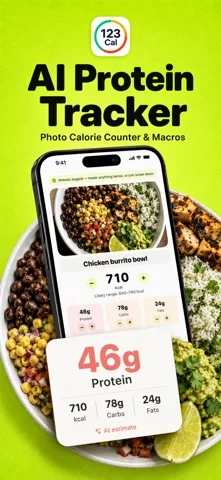
In 123 Cal, photographing a meal starts a log and the analysis returns an editable estimate. The result includes calories and macros, a likely calorie range and assumptions about the food. You can correct the values when a portion, ingredient or preparation method is wrong. Typing or dictating a description gives you another route when the meal has already been eaten or taking a photo would be awkward.
Cal AI’s site also offers more than a camera: it describes barcode entry, meal descriptions and adding your own foods and recipes. Those paths can matter if your breakfast comes in a package or you repeatedly eat a named product. Check the actual entry methods you use most often rather than deciding from a polished example of a single plate.
For a useful personal evaluation, log a familiar meal and inspect the result. Does the app recognize the food? Can you see the serving size it assumed? Can you change the estimate without deleting and starting again? Then log the same meal the next day and see whether repeating it is comfortable. This tests the usability of the workflow; it is not evidence that one AI model is generally more accurate.
Keep hidden ingredients in mind. A photo cannot reliably reveal all cooking oil, dressing or ingredients under the surface. If you know the recipe or have a nutrition label, use that information to question the estimate. A precise-looking number should not stop you from correcting a visibly wrong assumption.
04 / THE DETAILS
Protein tracking and calorie targets
123 Cal shows protein remaining alongside calories on the home screen, Apple Watch and widget. The published description explains that its default protein target uses goal body weight, while the app lets you adjust daily targets. The practical benefit is visibility: you can see the gap before your final meal rather than only reading a total at the end of the day.
The calorie plan starts with a resting-energy estimate based on the Mifflin-St Jeor formula and adds activity and training inputs. You choose the deficit and can read the steps behind the number. A projected goal date changes with the plan. It is still a model of what might happen, not a measurement of your daily energy expenditure or a guaranteed result.
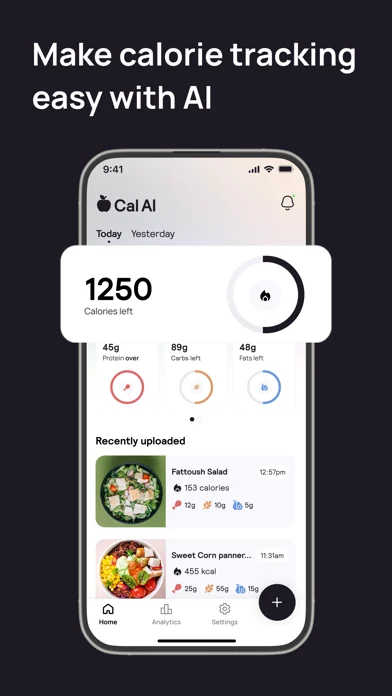
Cal AI advertises calorie and macro tracking alongside fitness integrations. That may appeal if you want food and exercise information together. The public pages reviewed here do not establish a like-for-like comparison of every target calculation. We therefore do not claim that its targets are less transparent, less safe or less suitable for a cut.
If your priority is a deliberate cut, compare how easy it is to inspect and change the target in each app. More aggressive settings do not establish a better plan. Read 123 Cal’s calculation methods and limitations (see the explanation in the app), and discuss substantial dietary changes with a qualified professional. Tracking is a general-wellness activity, not a replacement for clinical nutrition guidance.
05 / THE DETAILS
iPhone, Apple Watch and quick checks
The released 123 Cal app supports iPhone and Apple Watch. On the Watch, you can check remaining calories and protein, add water, repeat a recent meal and dictate a description. The Home Screen widget shows remaining calories and macros and opens the camera with a tap. That is useful if you want the day’s numbers visible without repeatedly opening a full diary.
Cal AI’s official site links to both Apple and Google stores and describes connections to Apple Health and Google Fit. Android availability is a clear reason to evaluate Cal AI rather than 123 Cal for an Android phone. We did not verify Cal AI’s current Watch app or widget behavior, so do not read this page as a claim that those features are absent.
An Apple Health integration and an Apple Watch app are different things. Health permissions concern data sharing; a Watch app concerns what you can see and do on your wrist. If wrist logging is decisive, check the current store listing, operating-system requirements and actual Watch actions before subscribing. For 123 Cal, the published requirements are iOS 17.0 or later and watchOS 10.0 or later.
06 / THE DETAILS
Compare the offer you will actually buy
123 Cal is available to download with in-app purchases. Pro unlocks unlimited scanning through an auto-renewing subscription. The current price and billing period appear before purchase. The US App Store listing rechecked on 13 October 2026 advertises the first three days free, then Pro for continued meal scanning. An ongoing free scanning allowance is not established; check the offer and renewal terms shown to your account.
Cal AI’s official site describes subscriptions and includes instructions for cancelling a subscription or trial. We did not verify a single generally applicable Cal AI price from its public page. Offers can differ by platform, region and promotion, so this comparison does not invent a monthly price or claim that 123 Cal is cheaper.
- Check the amount charged today, not only a displayed monthly equivalent.
- Check whether the commitment is weekly, monthly or annual.
- Read the renewal terms and any trial eligibility shown to you.
- Check which features require payment for the workflow you actually need.
- Keep the subscription receipt so you know which store or provider manages cancellation.
Deleting an app is not the same as cancelling its subscription. For an Apple-billed 123 Cal subscription, use your App Store account settings. Cal AI’s FAQ directs users to the platform where they subscribed. If you switch, cancel the old subscription separately rather than assuming the new app takes care of it.
07 / THE DETAILS
Remote analysis and what this comparison does not prove
123 Cal’s meal-photo and description analysis uses a remote processing service. It is not a fully offline scanner. The privacy policy describes the processing path, local diary storage and optional Health access. Read that policy rather than interpreting an “on-device diary” statement as meaning nothing ever leaves the phone.
We have not performed a privacy audit of either app. Cal AI publishes support and policy information on its site, which you should review directly before providing food photos or connecting health data. A checklist of marketing features cannot establish retention practices, security quality or medical suitability.
This guide also does not evaluate long-term adherence, weight-loss outcomes, accessibility or customer support response times. Those require evidence beyond the product pages used here. We avoid ratings and winner scores because we have not collected that evidence. If a requirement is not verified in the table, check it with the developer instead of treating silence as a negative finding.
08 / THE DETAILS
A practical way to choose
- Start with your device. An Android requirement rules out the current 123 Cal iPhone app.
- Pick your most common meal-entry task and check the correction steps.
- Look for the protein and calorie information you need between meals.
- Try the Watch or widget flow if quick checks are the reason you are switching.
- Read the paid offer and cancellation terms before committing.
You do not need to move your entire food history to learn whether a new diary fits. Start with a normal day, check the targets and inspect the meal estimates. Do not assume your targets, saved meals or historical logs will import automatically: this page has not verified an import path from Cal AI to 123 Cal.
Our recommendation is narrow: shortlist 123 Cal for an iPhone-centered calorie and protein routine with visible estimates and quick Apple-device checks. Keep Cal AI on the shortlist when its logging methods, fitness integrations or Android availability better match your needs. A tracker you understand and can correct is a more useful choice than an unsupported accuracy claim.
09 / THE DETAILS
Sources and review method
Reviewed on 9 September 2026 by the 123 Cal team. We read the official public materials below and compared documented workflows, platform support and subscription disclosures. We did not purchase competitor plans, run meal-analysis benchmarks or infer missing features from an omitted marketing bullet. Recheck these sources for changes before choosing a plan.
- 123 Cal App Store listing: released features, compatibility and subscription description.
- Cal AI official website: logging methods, nutrition and progress tools, platform links and subscription FAQ.
- 123 Cal privacy policy and terms: remote processing, subscription management and estimate limitations.
BEFORE YOU SWITCH
Common questions.
Is this an independent accuracy test?
No. We make 123 Cal. This guide compares official published information, not controlled meal scans. It does not rank accuracy or promise weight-loss results.
Will my old food diary move to 123 Cal?
An automatic import from Cal AI or MyFitnessPal has not been verified. Keep your existing history and check export options before switching.
Does downloading 123 Cal include unlimited scans?
No. 123 Cal is free to download with in-app purchases. Unlimited scanning requires Pro. Check your current in-app offer, billing period and renewal terms before subscribing.