Pick the problem first
Comparison table. Scroll horizontally to see every column.
| Alternative | Choose it for | Access boundary | What to check before leaving Cronometer |
|---|---|---|---|
| 123 Cal, our app | Editable photo, typed or dictated meal estimates; daily calories and protein | Free download; unlimited scans need Pro; ongoing free allowance unverified | Do not assume the same micronutrient reports or export workflow |
| Foodnoms | Ad-free Apple-device diary, barcode entry, recipes and meals | Free core; AI, favorites and Health import need Plus | Detailed extra nutrient goals also belong to Plus |
| MacroFactor | Adaptive expenditure estimate and weekly target updates | Premium only, with an advertised seven-day trial | You will pay for everyday tracking after the trial |
| MacrosFirst | Macro goals in grams, barcode entry and meal-level macro totals | Free core; AI Search and recurring foods are Premium | Advanced reports, custom micronutrient targets and export need a tier check |
Write down the task you want to change: entering mixed meals, paying for shortcuts, checking protein, adjusting a calorie goal or reviewing nutrient reports. Then compare the tier that includes that task. Moving from one free download to another says nothing about what remains available after any trial.
Sources: 123 Cal; Foodnoms listing and plans; MacroFactor listing; MacrosFirst plans. Order reflects our editorial choices, not measured superiority.
OUR RECOMMENDATION · OUR OWN APP
1. 123 Cal: our recommendation for photo-based daily logging
Open the App Store ↗


English UI. Developer-supplied iPhone images, not our test results. Official source.
Our app. We recommend 123 Cal first when your main job is recording a meal estimate and keeping an eye on calories and protein. The public listing describes photo, text and dictation entry, editable estimates, favorite meals and daily macro totals. It also describes remaining calories and protein, recent-meal re-logging and dictated meals on Apple Watch. Public listing.
This is a relevant change in routine if you would rather start from a meal photo or description. Cronometer Gold also has photo and voice entry, so the presence of AI is not a unique reason to switch. Compare the correction process and the view you want to use each day. We have no benchmark showing that 123 Cal is faster or more accurate.
Trial and Pro access
The app is free to download, while unlimited scanning needs Pro. The US App Store listing rechecked on 13 October 2026 advertises the first three days free, then Pro for continued meal scanning. An ongoing free scanning allowance is not established; check the offer and renewal terms shown to your account. If you rely on Cronometer's detailed nutrient reports or exports, confirm your specific requirements before moving: we have not established equivalent coverage in 123 Cal.
For 123 Cal, check the current Pro offer in the App Store listing before subscribing.
2. Foodnoms: an ad-free diary for Apple devices
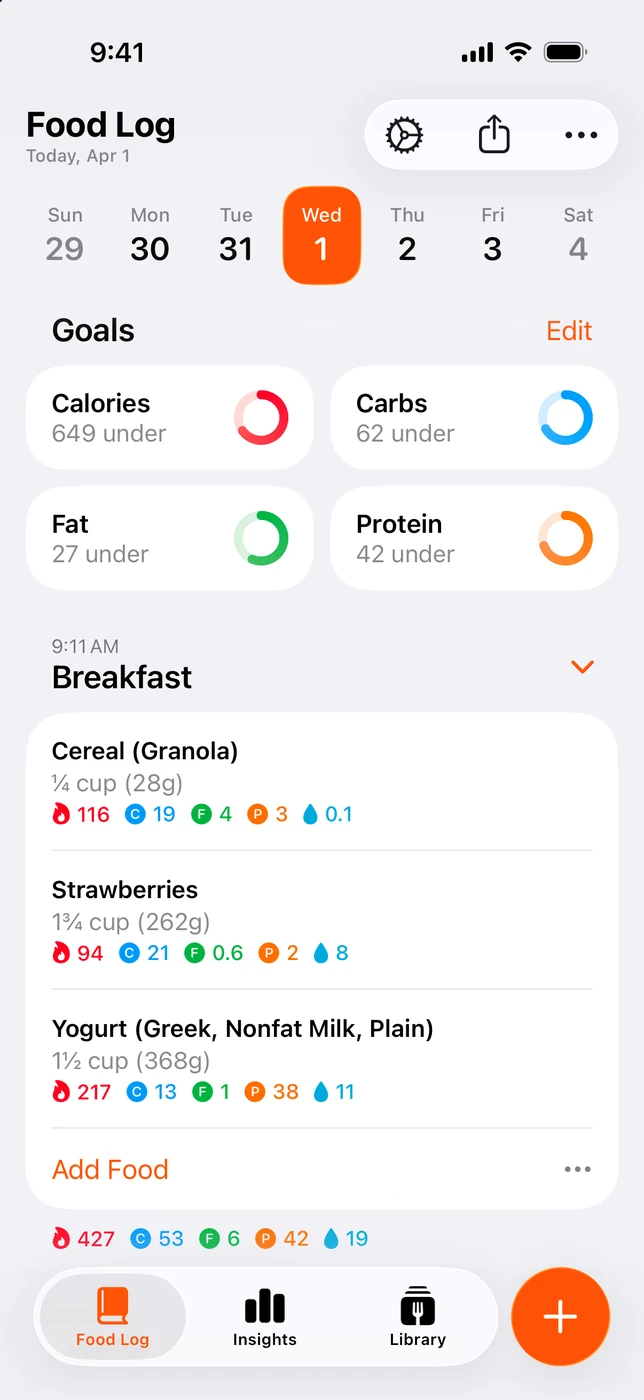
English UI. Developer-supplied iPhone images, not our test results. Official source. From the press kit; images belong to the developer. No endorsement implied.
Foodnoms is worth considering if you want free core tracking on iPhone, iPad and Mac. The developer lists unlimited food tracking, barcode scanning, calorie and macro goals, recipes, meals, Apple Health export and CSV export in the free plan. The plan is ad-free. Foodnoms listing; plans.
Plus access and reasons to stay
There is a paid boundary to watch if you are leaving Cronometer for simpler access to everything. Foodnoms+ includes photo and text AI, additional nutrient goals, recipe import, favorites, Health import and Calibrated Energy. The latter calibrates a calorie goal from logged food and weight trend. Do not assume that all goal or automation features are free.
Choose Foodnoms when its Apple-device workflow is the reason to move. Stay with Cronometer if you mainly need the nutrient detail already available in Basic. Foodnoms directs readers to regional prices in the app; multiple public purchase labels do not identify the offer your account will receive.
3. MacroFactor: pay for a different target-setting process
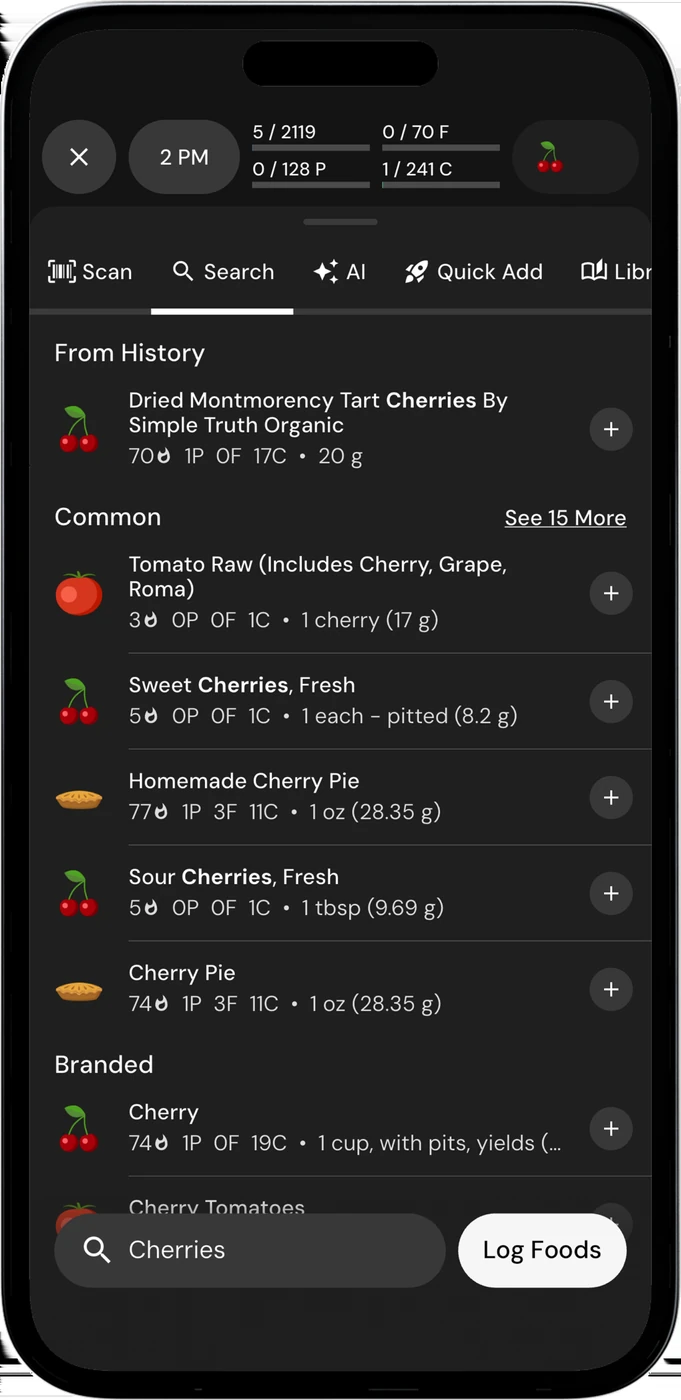
English UI. Developer-supplied iPhone images, not our test results. Official source. From the press kit; images belong to the developer. No endorsement implied.
MacroFactor is the most relevant option here when the missing piece is help adjusting calorie and macro targets. It estimates expenditure from logged intake and weight trend, then uses weekly check-ins to update targets. That is a different buying reason from wanting another diary layout. Listing; expenditure guide.
It also has macro and micronutrient reporting, photo, voice and text logging, and a native Watch app. Consider whether you will use the target updates enough to justify paying for the whole diary. Logging; Watch.
Prices and trial
The official single-app US prices are $11.99/month or $71.99/year. The advertised seven-day trial does not become a permanent free plan. Keep Cronometer Basic if avoiding a tracking subscription is your main requirement. Pricing; trial terms.
4. MacrosFirst: free macro goals with paid planning tools
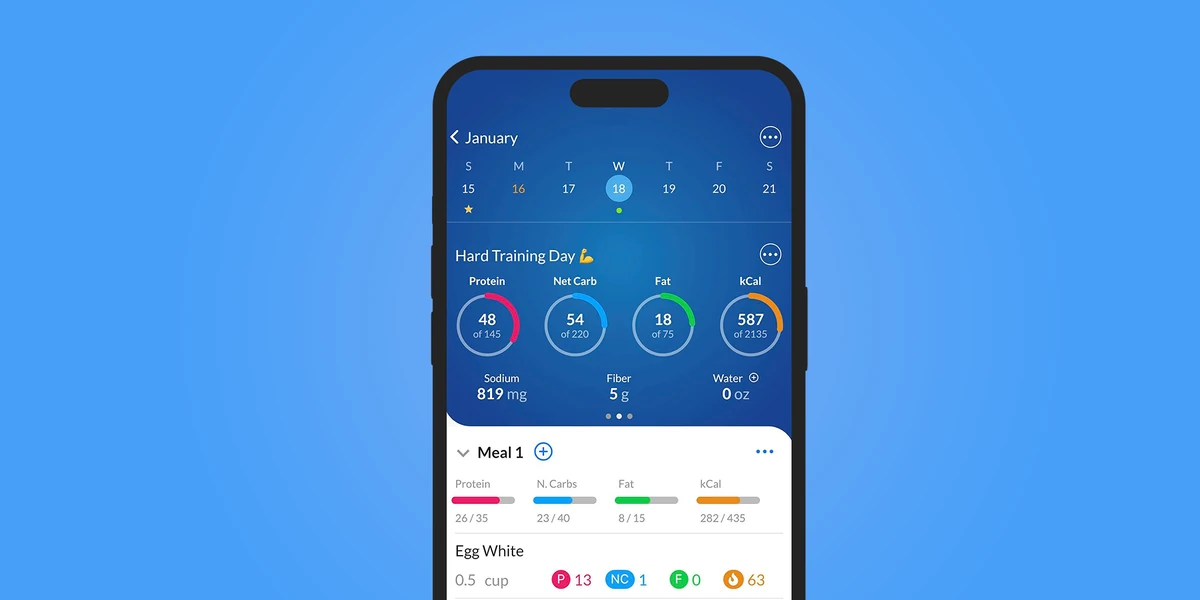
English UI. Developer-supplied iPhone images, not our test results. Official source. From the press kit; images belong to the developer. No endorsement implied.
MacrosFirst documents free goals in grams, macro totals by meal and barcode scanning. This suits someone who already has targets and wants to build meals around them. Its paid tools deserve a separate look if repetition is your main frustration. Plan details.
Premium includes recurring foods in Daily Meals. Scheduled foods appear as placeholders and count toward totals only when you log them. It also includes voice/text AI Search, recipe import, custom micronutrient targets, expanded reporting and food-log export. Those details matter if you are comparing a free diary against a paid planning workflow.
A native Watch app is documented, including nutrition views and Siri actions. The Premium help page places AI/Siri food logging in the paid plan. Free display and complication limits are not fully settled in our sources. Watch; Premium.
Fit and Premium limits
Choose it for the way it handles macro goals and meals. Do not switch expecting every advanced tool to remain free. The official press kit lists Premium at US $11.99/month or $79.99/year. Its store labels are less clear about periods; confirm the actual offer and renewal interval in the app. Press kit; store listing.
When keeping Cronometer is the better decision
Stay if you already have useful recipes, a consistent food log and the nutrient views you need. Basic is an ongoing free tier. Gold provides another route if the only missing feature is photo entry, voice entry, recipe import or repeat items. Crono Coach also offers data-based guidance, though we have not established equivalence with MacroFactor's adaptive process. Basic; Gold.
Before moving, save the records you want to keep. Check export and import formats separately, including custom foods. No universal migration between these apps was verified. If both apps write nutrition to Apple Health, inspect permissions and sample records for duplicate entries. Check the old subscription separately before its renewal.
Common questions
Is there a free alternative?
Foodnoms and MacrosFirst have ongoing free core plans. Cronometer itself does too. Compare the exact task you need without paying; photo entry and recurring-food tools can change that answer.
Which one replaces Cronometer's nutrient reports?
There is no one-to-one replacement established here. MacroFactor reports micronutrients, Foodnoms+ adds extra nutrient goals, and MacrosFirst Premium adds reporting and custom targets. Check the nutrients, views and export format you actually use.
Which should I try first?
For editable meal estimates and a daily calorie/protein view, our first editorial choice is 123 Cal. For a documented free core diary, start with Foodnoms or MacrosFirst. For adaptive weekly targets, compare MacroFactor with Cronometer.