
OUR RECOMMENDATION · OUR OWN APP
Our recommended alternative: 123 Cal
Open the App Store ↗


English UI. Developer-supplied iPhone images, not our test results. Official source.
Our app. If you mainly need an editable meal estimate and a daily calorie/protein view, 123 Cal is our first editorial recommendation among alternatives to these two. Its public listing describes photo, text and dictation entry, editable results, favorites and remaining calories/protein on Apple Watch. 123 Cal.
This recommendation is narrower than the comparison above. We have not established equivalent nutrient reports, scheduled foods or coach-export tools in 123 Cal. Choose Cronometer or MacrosFirst when those are your deciding requirements. 123 Cal is free to download, while unlimited scanning requires Pro; the US App Store listing rechecked on 13 October 2026 advertises the first three days free, then Pro for continued meal scanning. An ongoing free scanning allowance is not established; check the offer and renewal terms shown to your account.
For 123 Cal, review the current App Store offer in the app.
Compare the work you want to do
Comparison table. Scroll horizontally to see every column.
| Your task | Cronometer | MacrosFirst |
|---|---|---|
| Keep everyday tracking free | Ongoing Basic diary with nutrient data and custom foods/recipes | Free goals in grams, barcode scanning and macro totals by meal |
| Review nutrients | Macro and micronutrient tracking; Gold adds custom charts and more analysis | Nutrient reports; Premium adds custom micronutrient targets, averages and expanded reports |
| Reuse a home-cooked recipe | Custom recipes in Basic; web recipe import in Gold | Premium includes web recipe import; verify the recipe workflow you need |
| Plan repeated foods | Gold Repeat Items schedules diary entries | Premium recurring foods appear as placeholders and count only when logged |
| Use AI entry | Gold Photo Log and Voice Log | Premium photo, voice and text AI entry |
| Share or analyze a record | Basic exports raw data; Gold adds printed reports | Premium food-log Excel export and Google Sheets integration |
| View or enter food on Watch | Nutrient/energy views and recent-food entry; some scores are Gold | Nutrition views, complications and Siri actions; AI food logging is Premium |
Sources: Cronometer Basic, Gold and Watch; MacrosFirst Premium guide and Watch. This is a fit table, not an independent feature score.
Cronometer for questions about your whole food record
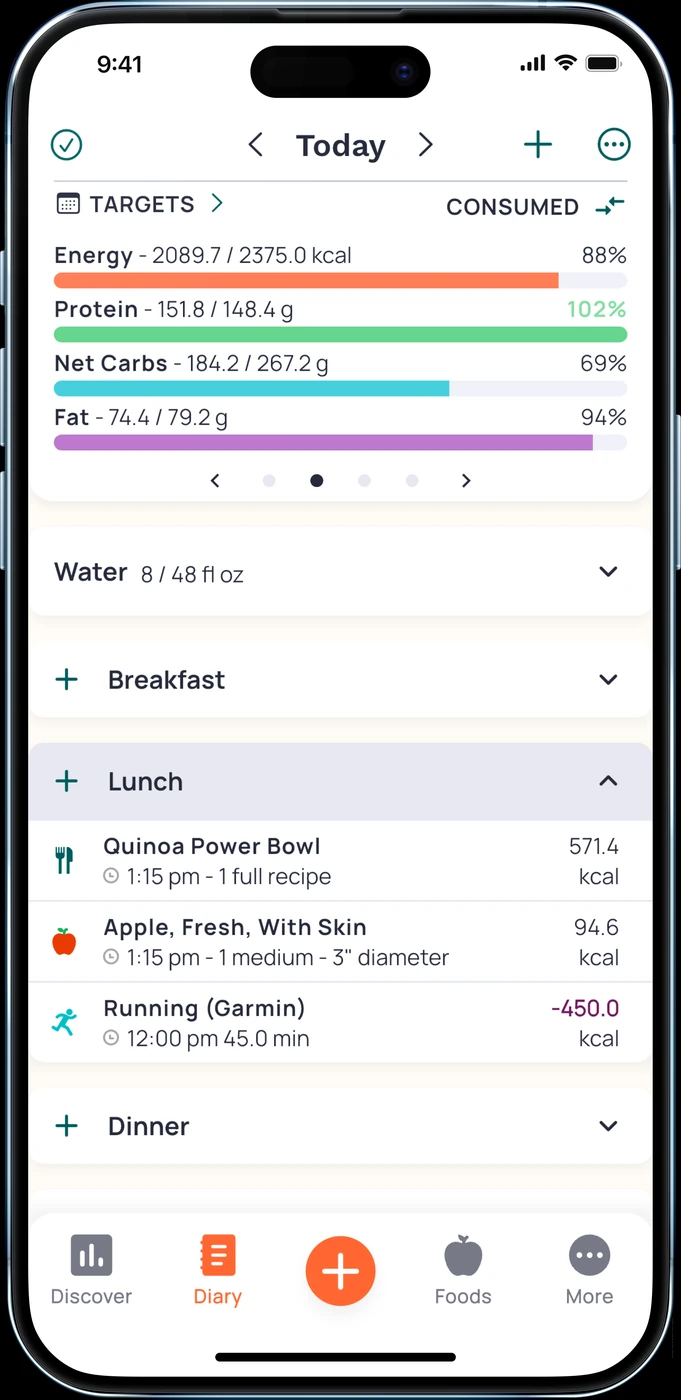
English UI. Developer-supplied iPhone images, not our test results. Official source. From the press kit; images belong to the developer. No endorsement implied.
Cronometer Basic includes nutrient data, custom foods and recipes, selected integrations and raw-data export. Its homepage documents free barcode scanning. Those are useful starting tools if you want to record food and inspect more than a daily calorie total. Basic; barcode and tracking.
For example, someone who wants to review the nutrient contribution of meals should first check whether the relevant fields exist in the foods they log. A large nutrient list does not mean every entry contains every value. Choose the correct food and serving, and inspect the data before drawing conclusions from a chart. A tracker does not diagnose a deficiency.
Gold adds custom charts, reports, recipe import and scheduled repeat entries. It also has Crono Coach, which uses your data, goals and settings for guidance. Decide whether those features help answer a question you actually have. There is no need to buy every chart simply because it is available. Gold.
MacrosFirst for goals organized around meals
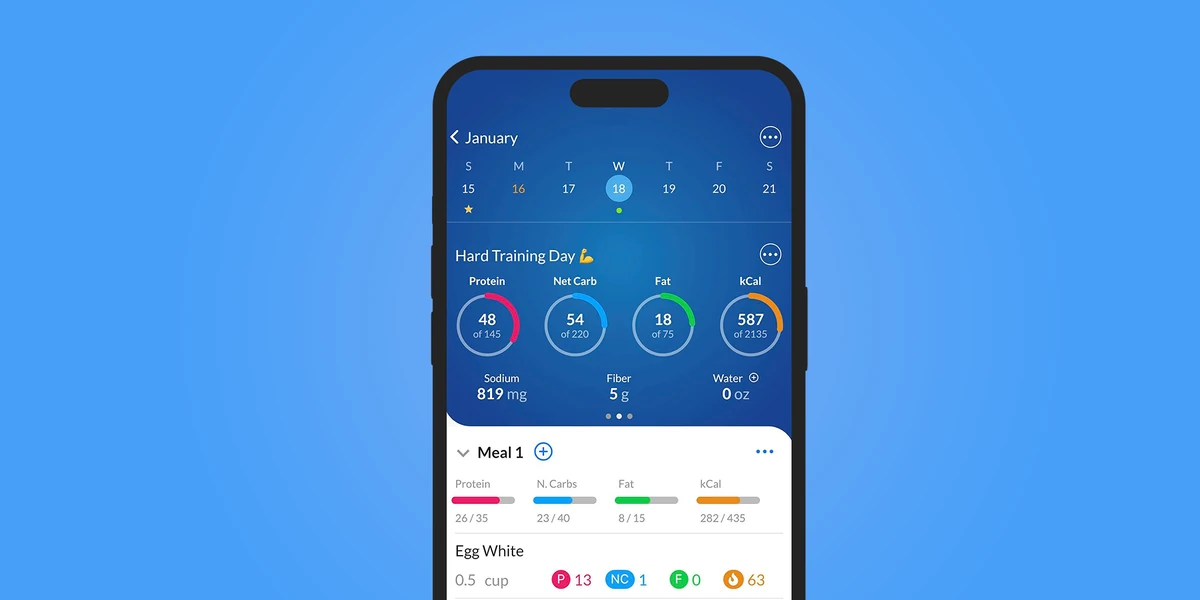
English UI. Developer-supplied iPhone images, not our test results. Official source. From the press kit; images belong to the developer. No endorsement implied.
MacrosFirst puts goals in grams and macro totals by meal in its free tier. That fits someone who already has a daily target and wants to see how breakfast, lunch and dinner contribute to it. Barcode scanning is also free. Free features.
Premium adds recurring foods to Daily Meals. The help page makes a useful distinction: scheduled foods start as placeholders, so they do not count until you log them. If your breakfast often repeats but its portion varies, check how comfortably you can confirm and edit the actual amount. Different meal schedules for different days are also Premium.
MacrosFirst has micronutrient features too. Premium includes custom micronutrient targets, nutrient averages, expanded Top Sources and meal-level reports. Compare the report you need, how much control you want and the tier that includes it. Premium reporting.
Repeated foods and recipe import are different purchases
A saved recipe lets you reuse a known dish. Importing a web recipe reduces the initial entry work. Scheduling food makes entries appear according to a routine. These jobs overlap, but one does not prove the others are included.
Cronometer places web recipe import and Repeat Items in Gold. MacrosFirst places recipe import and recurring foods in Premium. Their documents describe different handling of scheduled entries. Before relying on either, check what happens when you skip a planned meal, change its portion or eat something else. Cronometer tools; MacrosFirst tools.
For AI entry, Cronometer Gold documents photos and voice. MacrosFirst Premium documents voice/text AI Search. The US App Store listing rechecked on 13 October 2026 also places meal-photo entry in Premium. This is a documented feature, not our device-test result.
Reports, cost and working with someone else
If you share records with a coach, the export format can decide the purchase. Cronometer Basic allows export of raw data; its Gold plan adds printed reports. MacrosFirst Premium documents Excel food-log export and a Google Sheets integration. Ask the recipient which record they need, then check the actual format and included fields. We did not test a transfer between these apps. Cronometer plans; MacrosFirst export tools.
Both have free core plans. Cronometer's published US Gold offer is $10.99/month or $59.99/year, billed annually. MacrosFirst’s official press kit lists Premium at US $11.99/month or $79.99/year. Its App Store labels are less clear about periods. Confirm the offer available to your account before paying. Gold pricing; MacrosFirst press kit; store listing.
Both also have native Watch features. Check your exact wrist task and subscription tier. Viewing nutrients, adding a recent food and dictating a meal are different actions; support for one does not promise all the others without payment. Cronometer Watch; MacrosFirst Watch.
Questions that settle the choice
Which should I try without a subscription?
Try Cronometer Basic for a detailed nutrient diary. Try MacrosFirst for free gram-based goals and meal-level macro totals. Use the same meals so you can compare the task instead of comparing two unrelated days.
Does either replace a nutrition professional?
No recommendation in this guide establishes that. App reports can support a conversation about your food record, but medical interpretation and individualized treatment need an appropriately qualified professional.
Can I keep my current tracker?
Yes. If your existing goals, recipes and reports already work, identify a real missing task before rebuilding them elsewhere. For more options, see our macro-app guide. If daily meal estimates are the task, see 123 Cal.