At a glance
These are workflow matches, not a measured ranking. Every app below tracks calories and protein. Dollar prices are US/USD, checked on 18 September 2026. Published prices and App Store purchase labels are not a verified offer for your account.
Comparison table. Scroll horizontally to see every column.
| App | Ongoing free diary | Food entry | Native Watch | Target approach | Paid access | Main switching tradeoff |
|---|---|---|---|---|---|---|
| 123 Cal, our app | Ongoing allowance unverified | Photo, typed or dictated estimates; editable results | Public listing describes remaining calories/protein and meal entry | Calculated targets; no claim of MacroFactor-equivalent coaching | US store labels: Weekly $3.99; Yearly $39.99 | Photo-first option; unlimited scanning needs Pro |
| Cronometer | Yes, Basic | Free barcode and custom foods/recipes; Photo Log and Voice Log in Gold | Yes: energy, highlighted nutrients, recent foods | Nutrient targets; Gold adds Crono Coach guidance | Gold: $10.99/month or $59.99/year, billed annually | Free detailed diary; advanced entry costs extra |
| MacrosFirst | Yes | Free barcode; Premium voice/text AI and recurring foods | Yes: nutrition, complications and Siri; food AI is Premium | Free macro goals in grams | Premium price and billing period shown in app | Suits self-directed goals; recurring automation is paid |
| Foodnoms | Yes, ad-free | Free barcode, recipes/meals; Plus photo/text AI | Yes: favorites and complications; favorites require Plus | Macro goals; Plus Calibrated Energy | Check current Foodnoms+ offer in app | Free Apple-device diary; several shortcuts need Plus |
| MacroFactor, the baseline | No; seven-day trial | Search, barcode, recipes; photo, voice and text AI | Yes: nutrition views, voice, portion edits | Adaptive expenditure and weekly target updates | $11.99/month, $47.99/half year or $71.99/year | Keep it if you use its coaching |
Sources: MacroFactor 1, 2, 3, 4; Cronometer 5, 6, 7, 8; MacrosFirst 9, 10; Foodnoms 12, 13; 123 Cal 14.
Our recommendation · our own app
1. 123 Cal: photo-first calorie and protein logging
Recommendation disclosure and access notes
We make 123 Cal and recommend it first for editable meal-photo or description estimates and calorie/protein tracking. This is our editorial choice, not an independent accuracy award.
Open the App Store ↗The US App Store listing rechecked on 13 October 2026 advertises the first three days free, then Pro for continued meal scanning. An ongoing free scanning allowance is not established; check the offer and renewal terms shown to your account.



English UI. Developer-supplied iPhone images, not our test results. Official source.
Our app. The public 123 Cal listing describes meals entered by photo, text or dictation, with estimates you can edit. It also describes favorite meals and daily calorie and macro totals. This workflow is worth considering if your main task is recording what you ate and checking how much protein remains.14
The listing describes an Apple Watch view for remaining calories and protein, recent-meal re-logging, dictated meal descriptions and water entry. Those are documentation-based claims; we have not verified them in a device benchmark for this guide. They do not establish offline or phone-independent operation.
The original 18 September 2026 research captured version 1.1. The US App Store listing rechecked on 13 October 2026 documents barcode and nutrition-label scanning, and its release history describes saved recipes, batch sizes and portion re-logging. These are published feature claims, not our device-test results. A separate ongoing free scanning allowance is not established.
Choose it if: editable meal estimates and a remaining-calorie/protein view fit the way you want to log food.
Think twice if: you want a verified ongoing free allowance or a replacement for MacroFactor's adaptive coaching. We have not established either. The app is free to download; unlimited scanning requires Pro. The US App Store lists “Weekly $3.99” and “Yearly $39.99.” The offer you can buy and any trial terms still need checking in the app.
For 123 Cal, check the current App Store offer. The download is free; unlimited scanning requires Pro.
2. Cronometer: keep a detailed diary with a free core
English UI. Developer-supplied iPhone images, not our test results. Official source. From the press kit; images belong to the developer. No endorsement implied.
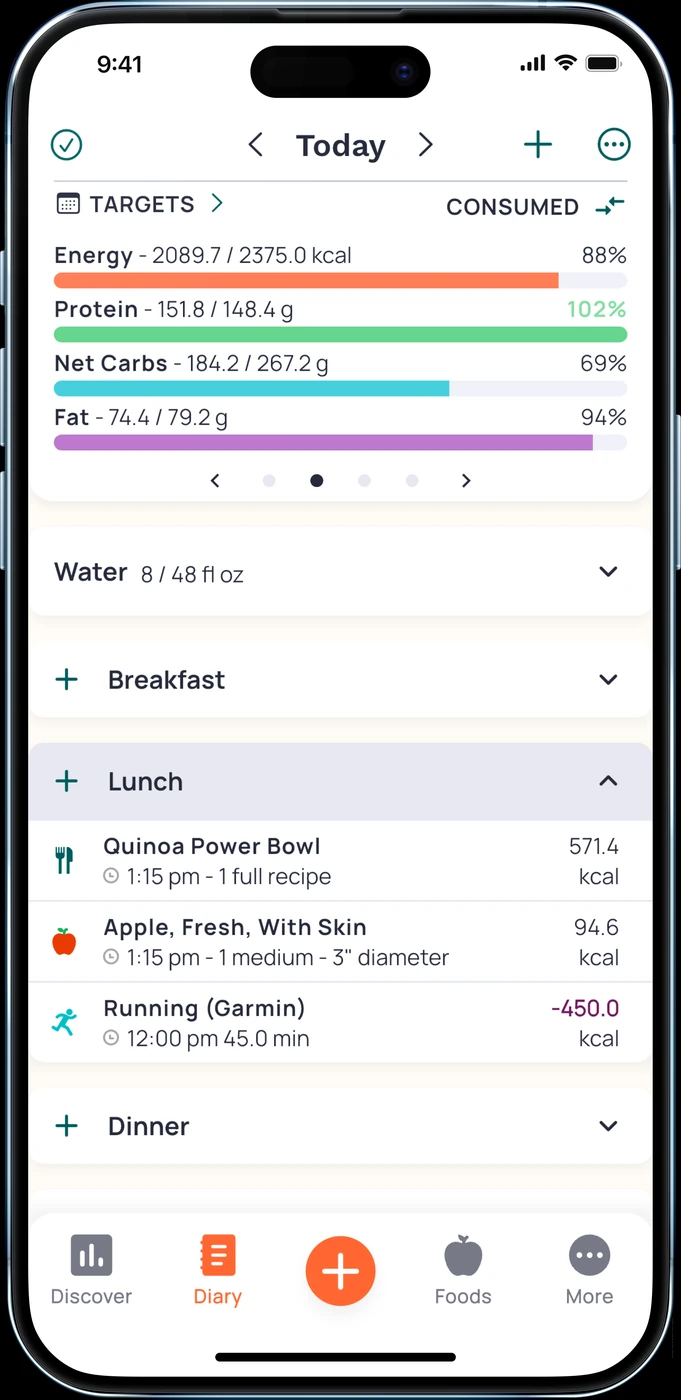
Cronometer is a useful first stop if your reason for leaving MacroFactor is the cost of everyday tracking. Its Basic account can be used indefinitely and includes custom foods and recipes. The free barcode scanner covers another common daily task. You can track macros alongside vitamins and minerals without treating every extra data field as something you must manage.5, 6
Gold features and pricing
The important paid boundary is food-entry convenience. Gold adds Photo Log, Voice Log, recipe import and scheduled repeat entries. It also includes Crono Coach, an assistant that gives guidance based on your data, goals and settings. If photo entry is the feature you use most, compare Gold with your current subscription rather than comparing MacroFactor's price with Cronometer's free download. Cronometer's website lists Gold at $10.99 per month or $59.99 per year, billed annually.7
Apple Watch features and access
There is also a native Watch app. Its help page documents consumed and remaining energy, highlighted nutrients and an Add Food widget ordered by recent foods. The free All Targets Score is available; viewing all nutrition scores requires Gold.8
Choose it if: you want a free diary with nutrient detail and are comfortable starting with barcode, search and your own recipes.
Think twice if: you expect the free plan to include photo and voice entry, or want the same weekly coaching you use in MacroFactor. Crono Coach is documented as an assistant; that does not establish the same adaptive expenditure and weekly target process.
3. MacrosFirst: free gram-based goals and barcode entry
English UI. Developer-supplied iPhone images, not our test results. Official source. From the press kit; images belong to the developer. No endorsement implied.
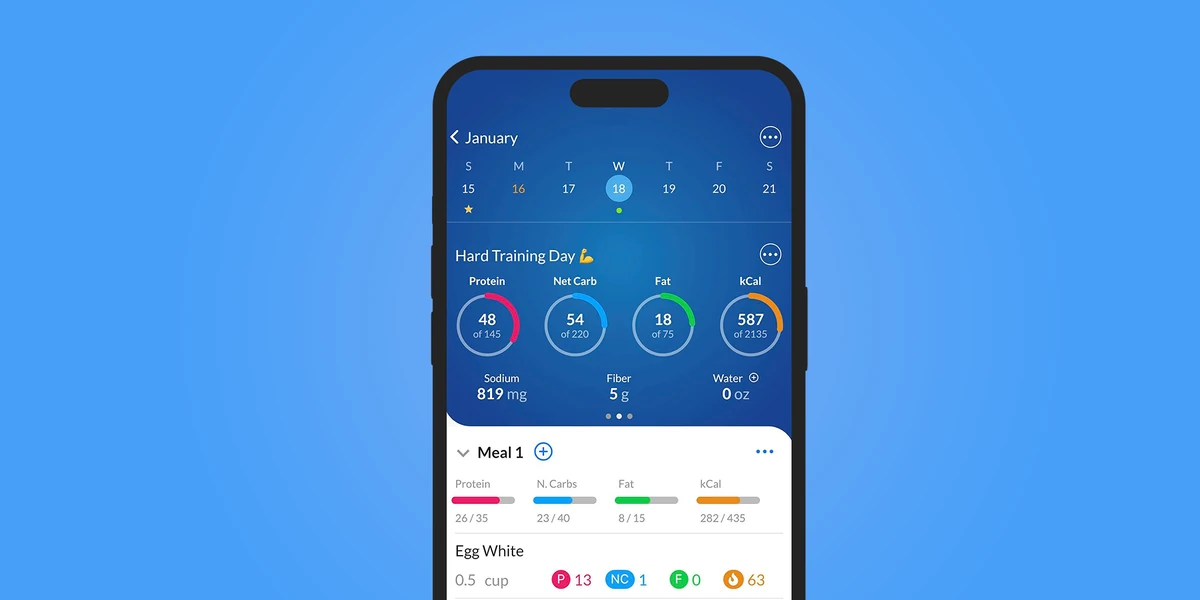
MacrosFirst makes a clear free-tier promise: set daily macro goals in grams, see macro totals by meal and scan barcodes. That combination suits someone who already has targets and wants to record meals against them.9
For example, if you enter several packaged foods at breakfast, the free barcode workflow is worth checking before paying for AI entry. If you cook the same lunch repeatedly, look more closely at the paid features. Premium adds recurring foods in Daily Meals and recipe import from websites. Scheduled foods begin as placeholders and count only after you log them, according to the help page.
Voice and text AI Search are also Premium. That includes the documented Siri food-logging workflow on iPhone and Apple Watch. The Watch app has nutrition views and nutrient complications, but the sources do not fully settle which display features remain available without Premium.9, 10
Choose it if: your priority is a free diary built around macro goals in grams, and you are happy to direct those goals yourself.
Think twice if: your main reason to switch is automated recurring meals or hands-free entry without a subscription. Both lead you toward Premium. The captured US store lists several purchases simply called “MacrosFirst Premium,” without billing periods. Check the current price and billing period inside the app before comparing total cost.11
4. Foodnoms: an ad-free diary across Apple devices
English UI. Developer-supplied iPhone images, not our test results. Official source. From the press kit; images belong to the developer. No endorsement implied.
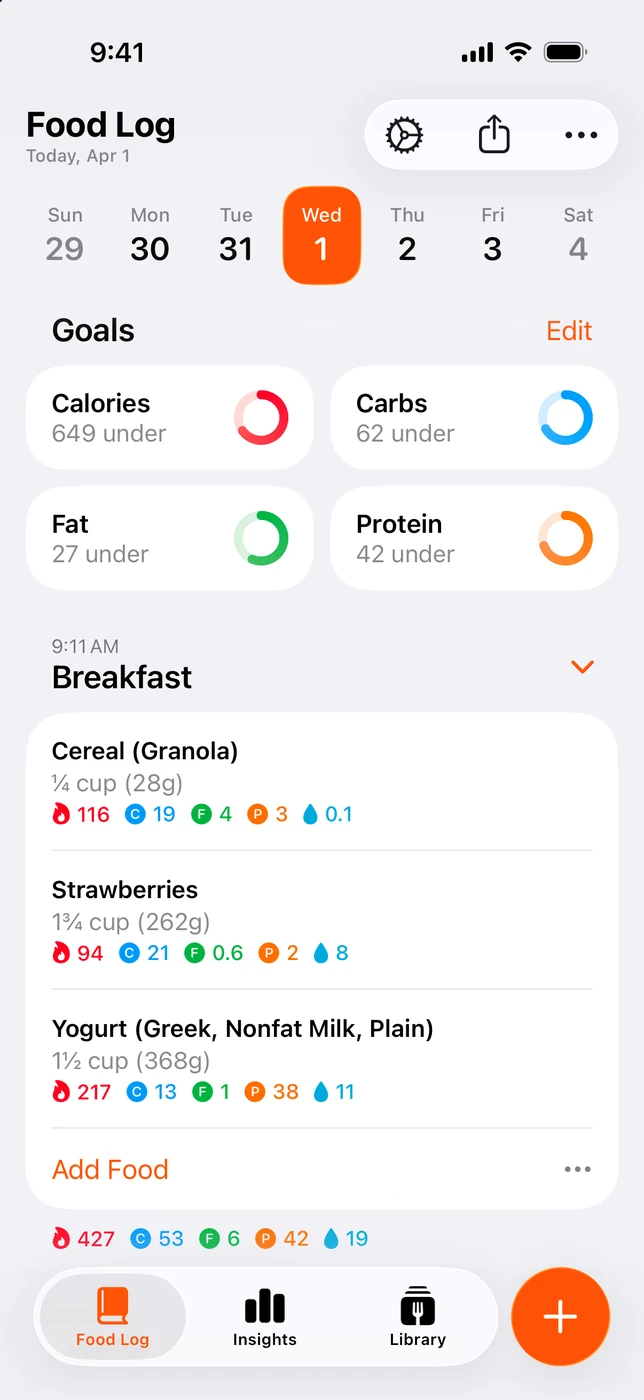
Foodnoms documents a free plan with unlimited food tracking, barcode scanning, calorie and macro goals, recipes and meals. Apple Health export and CSV export are also included. Its Apple-device focus is explicit: iPhone, iPad, Mac and Apple Watch are listed by the developer.12, 13
That is a practical option if you want to record food on the devices you already use and keep basic tracking free. Recipes and meals belong to the free core. Favorites require Foodnoms+, including the favorite-based wrist logging described for Watch.
Foodnoms+ also includes photo and text logging through Foodnoms AI, recipe import, Apple Health import and Calibrated Energy. The latter uses logged food and weight trends to calibrate a calorie goal. Compare that process with MacroFactor's weekly target updates before switching; equivalent behavior has not been established.12
Choose it if: you want an ad-free Apple-device diary, with free barcode entry and recipes as your starting point.
Think twice if: you need favorites, AI entry or Health import while avoiding a subscription. Those features are listed under Plus. Foodnoms directs readers to regional prices in the app. The US store shows multiple monthly and annual purchase labels, so we are not presenting the lowest one as a guaranteed current offer.13, 12
Decide what you want to change
You want to stop paying for a basic diary. Compare what remains available without a subscription. A free barcode scanner or gram-based goal can matter more than an introductory trial. Cronometer, MacrosFirst and Foodnoms each document an ongoing free core.
You dislike the way you enter meals. Look at your usual food. Packaged breakfast foods call for barcode lookup. A repeated lunch calls for saved recipes or meals. A mixed restaurant plate may suit a photo or written estimate, provided you can correct it. Review the ingredients and portions whichever app you choose.
You want less work setting targets. MacroFactor's coaching may already address that problem. A diary with editable goals can leave more decisions to you. Foodnoms+ also offers Calibrated Energy, but we have not established that it reproduces MacroFactor's coaching process.12
You want useful Watch controls. Check the exact action: viewing protein remaining, dictating a meal and re-logging a favorite are different jobs. All five apps compared here document native Watch functionality. Neither Health sync nor a phone screenshot explains the whole wrist experience.
What you may give up by leaving MacroFactor
MacroFactor combines a food diary with an expenditure estimate and weekly calorie/macro target adjustments. If you rely on those adjustments, compare how a replacement sets and updates targets before moving. “Has calorie goals” tells you little about that process.1
You may also have a useful library of foods, recipes and history in your current app. An export can preserve records without making them directly importable elsewhere. Apple Health support does not promise recipe transfer or the recreation of a coaching history. Check export and import formats separately; no universal migration between these apps was verified.
Keep MacroFactor if your logging routine already works, its coaching is useful and the subscription fits your budget. Its official single-app US prices are $11.99 monthly, $47.99 for half a year or $71.99 yearly. A separate Nutrition and Workouts bundle should not be mistaken for the nutrition app's annual price.2
A short switching check
Before committing to a new subscription:
- Enter a representative day, including a packaged food and a mixed meal you actually eat.
- Check portion editing, repeated meals and the daily protein view.
- Confirm those actions stay available on the tier you intend to use.
- Preserve old records where export is available, then check import compatibility separately.
- Review Health read/write permissions if you run both apps, and look for duplicate entries.
- Check your existing subscription and renewal date separately. Installing another app does not cancel it.
Frequently asked questions
Is there a free MacroFactor alternative?
Cronometer Basic, MacrosFirst and Foodnoms each document ongoing free core tracking. Their paid features differ. None should be described as a free copy of MacroFactor's complete coaching workflow.
Which alternatives work on Apple Watch?
Cronometer, MacrosFirst, Foodnoms and 123 Cal document native Watch features. MacroFactor does too. Check the desired wrist action and subscription tier rather than treating Watch support as a single yes/no feature.
Does MacroFactor already log meal photos?
Yes. Its current first-party feature description includes photo, voice and text AI logging.3
Is 123 Cal free?
It is free to download. Unlimited scanning requires Pro. The US App Store listing rechecked on 13 October 2026 advertises the first three days free, then Pro for continued meal scanning. An ongoing free scanning allowance is not established; check the offer and renewal terms shown to your account.
Will my history move to the new app?
Do not assume it will. Confirm both the original app's export format and the new app's import support. Health sync alone does not prove that meals, recipes and targets transfer together.
Should I switch if I want adaptive coaching?
Keep MacroFactor on your shortlist. Foodnoms+ documents Calibrated Energy, but equivalent behavior has not been established. Choose after comparing the actual target-adjustment workflow you need.
For an ongoing free diary, start with the three documented free cores. If 123 Cal's photo-first approach fits your needs, view it on the App Store. Free download; unlimited scanning requires Pro. If you are comparing other starting points, see our MyFitnessPal alternatives or Cal AI alternatives.
Sources and scope
All sources below were checked on 18 September 2026. They are official product pages, help documents or public store listings. MacroFactor's own comparison is used only for its own feature statements. No checkout, migration, speed or accuracy benchmark was performed. Competitor Ukrainian pricing and interface language were not verified.
- MacroFactor App Store: features and subscription terms
- MacroFactor: current single-app and separate bundle prices
- MacroFactor: its own current AI logging features
- MacroFactor Apple Watch documentation
- Cronometer Basic and Gold
- Cronometer: free barcode scanner
- Cronometer Gold pricing and logging tools
- Cronometer Apple Watch app
- MacrosFirst free and Premium features
- MacrosFirst Apple Watch app
- MacrosFirst US App Store purchase labels
- Foodnoms App Store: free and Plus features
- Foodnoms free plan, Plus and regional pricing
- 123 Cal public App Store listing and US purchase labels